
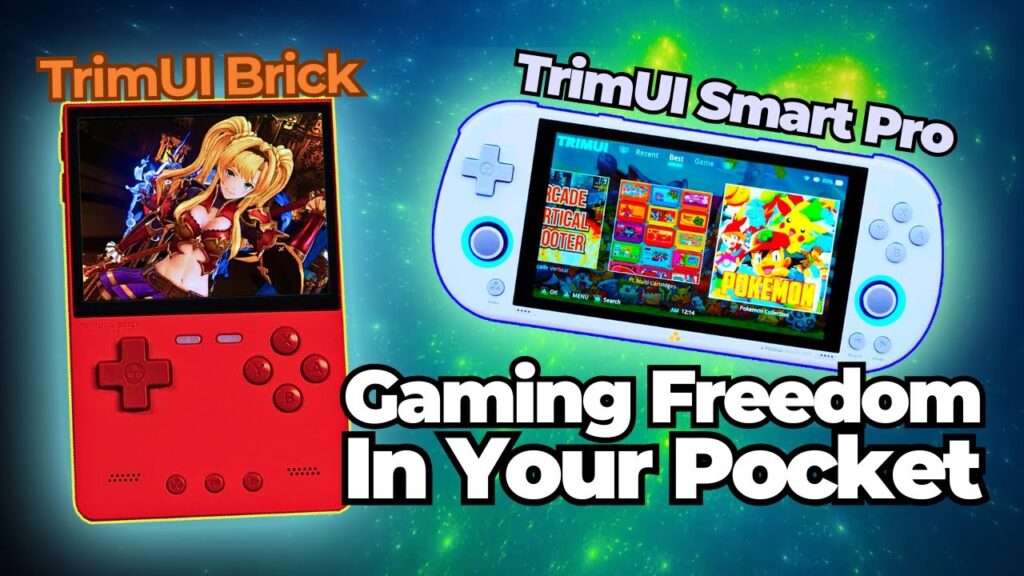
If you are comparing the TrimUI Brick vs TrimUI Smart Pro S, you are not really choosing between “better” and “worse.” You are choosing between two different philosophies of portable retro gaming. The Brick is positioned around compact size, daily carry convenience, a Linux-based simple experience, and a 3.2-inch high-density display with a 3000mAh battery. The Smart Pro S is positioned around a much larger 4.96-inch IPS display, a 5000mAh battery, an Allwinner A523 processor, Wi-Fi/Bluetooth, dual USB-C, and a more immersive horizontal form factor designed for users who want more screen and more room to play.
That means the real question behind this search is not simply, “Which one should I buy?” The real question is:
Do you want a handheld that disappears into daily life, or a handheld that makes gaming feel bigger, more comfortable, and more immersive?
That is the correct comparison frame.
El TrimUI Brick is the better answer if your priority is true portability, one-handed pickup appeal, pocketability, a smaller footprint, and a compact retro handheld that feels purpose-built for commuting, travel, and short casual sessions. Your own product pages describe it around portability, Linux simplicity, up to 1TB TF expansion, and roughly up to 5 hours of gameplay from a 3000mAh battery, while the product listing highlights its 3.2-inch screen and compact everyday-use positioning.
El TrimUI Smart Pro S is the better answer if your priority is screen size, visibility, broader ergonomic comfort, and a more “sit down and play” experience. Your homepage and product pages describe it as the larger-screen option in the lineup, and third-party reviews consistently emphasize its 4.96-inch 1280×720 IPS display, 5000mAh battery, A523 chip, and especially its suitability for systems like PSP where the extra screen real estate matters much more.
So the short verdict is this:
Buy the TrimUI Brick if you care more about the handheld fitting your life.
Buy the TrimUI Smart Pro S if you care more about the games filling the screen.
That is the simplified answer. The expert answer is more interesting, because these two devices are separated not only by size, but by use case, display strategy, ergonomics, software expectations, and what kind of buyer each one serves best.
TrimUI Brick vs TrimUI Smart Pro S Quick decision table
| Priority | Better fit | Why |
|---|---|---|
| Pocketability | TrimUI Brick | Smaller body, lighter carry profile, designed around daily portability. |
| Bigger, more immersive display | TrimUI Smart Pro S | 4.96-inch 1280×720 IPS panel gives much more viewing area. |
| Commute / travel use | TrimUI Brick | Easier to carry and quicker to treat as an everyday companion. |
| Longer sessions at home or on the couch | TrimUI Smart Pro S | Larger horizontal layout and larger screen are better suited to extended play. |
| Classic vertical retro appeal | TrimUI Brick | Small-format retro-first design language. |
| PSP / widescreen-friendly play | TrimUI Smart Pro S | Third-party reviews specifically call out its screen as ideal for PSP. |
| “Take it everywhere” simplicity | TrimUI Brick | The whole product story is about portability and simple Linux use. |
| “I want the more capable bigger device” | TrimUI Smart Pro S | A523 chip, 5000mAh battery, larger body, and broader high-end retro use case. |
These are not competing on the same terms
A weak comparison article treats the Brick and Smart Pro S as if one is just the “small version” and the other is just the “big version.” That is not how serious buyers should think about them.
El TrimUI Brick is a compact vertical handheld whose core value is that it stays out of your way. The product descriptions on your own site repeatedly present it as simple, stable, compact, Linux-based, easy to carry, and good for everyday play. Even the phrasing on your homepage positions it as the model for people who want something easy to fit into daily life rather than something optimized around maximum visual immersion.
El TrimUI Smart Pro S, by contrast, is a larger horizontal handheld whose identity is built around giving you more of the gaming experience at once: more screen, more battery, more processing headroom, more comfort for visually demanding retro systems, and a more substantial body. Your own homepage presents it as the “larger screen handheld for gaming,” while external reviews go further and describe it as the more powerful 2026 upgrade with a 4.96-inch 720p panel and a hardware profile that makes more sense for PSP, Dreamcast, and stronger N64-class use than the smaller models.
That difference matters because it changes what “value” means.
For the Brick, value means:
- smaller footprint,
- lower carry friction,
- simple startup behavior,
- satisfying screen clarity in a very compact body,
- and a device that gets used because it is always easy to bring along.
For the Smart Pro S, value means:
- larger visual field,
- better comfort for longer sessions,
- better fit for systems that benefit from widescreen or more interface room,
- and a more “primary handheld” feel rather than a pure grab-and-go companion.
So before talking about performance, you already have the core answer:
Brick is built around convenience. Smart Pro S is built around comfort and visual scale.
TrimUI Brick vs TrimUI Smart Pro S : density and compactness vs size and immersion
This is where the comparison becomes real.
On your product pages, the TrimUI Brick is described with a 3.2-inch display, with one page listing 1024×600 resolution and other homepage copy emphasizing a high-density “400PPI” style positioning. Whatever minor listing inconsistency exists in store copy, the main theme is clear: the Brick is being sold on screen clarity in a compact body, not on raw size.
El TrimUI Smart Pro S, meanwhile, is consistently described externally as having a 4.96-inch 1280×720 IPS display at around 296 PPI, and both your homepage and review pages clearly position it as the bigger-screen choice for a more immersive experience. External reviewers specifically note that the 720p panel is one of the main reasons the device works so well for PSP and other systems that simply benefit from space.
That means the display tradeoff is not just “big versus small.” It is:
- Brick: compact, sharp enough to feel premium for its size, fast to pick up, visually efficient
- Smart Pro S: large, easier to read, more spacious, more forgiving, more comfortable for systems that are cramped on tiny screens.
TrimUI Brick vs TrimUI Smart Pro S Display comparison
| Display factor | TrimUI Brick | TrimUI Smart Pro S |
|---|---|---|
| Screen size | 3.2-inch | 4.96-inch |
| Resolution | 1024×600 on product page | 1280×720 |
| Aspect implication | Better for compact classic play | Better for widescreen-friendly and larger-view play |
| Use feel | Dense, compact, efficient | Open, large, immersive |
Expert reading of this tradeoff
If you mostly play in short bursts, or if you like the idea of a handheld that feels like a carefully minimized retro device, the Brick’s screen makes sense because it supports the whole product concept. It is not trying to dominate your field of view. It is trying to give you a clean image in the smallest form that still feels good to use.
If you actually want to spend time in menus, scan text comfortably, enjoy PSP or more interface-heavy content, or simply reduce the sense of visual compromise that comes with tiny handhelds, the Smart Pro S has the stronger display proposition. That is exactly why reviewers keep bringing up its screen when describing what changed and why the model matters.
Visual summary
Portability bias
TrimUI Brick      ████████████████████Display immersion bias
TrimUI Smart Pro S ████████████████████████████
That chart is reductive, but directionally accurate.
Form factor and why it changes the entire ownership experience
The most important thing many buyers underestimate is that screen size is inseparable from form factor.
The Brick is not only smaller. Its vertical layout changes how it enters your routine. You can think of it less like “a gaming device you decide to carry” and more like “a small personal object that happens to be a gaming device.” That is why the best use cases for the Brick are:
- commuting,
- waiting rooms,
- lunch breaks,
- ten-minute sessions,
- carrying in a jacket pocket or small bag,
- and keeping a retro handheld close without feeling like you packed for it.
The Smart Pro S is different. A horizontal 4.96-inch handheld with a 5000mAh battery, two USB-C ports, larger overall dimensions, and a wider body does not disappear into your day in the same way. It asks for more physical and mental space. But in return, it gives you a more settled playing posture, a bigger viewing window, and a more “full handheld” feeling. External review coverage makes this tradeoff very clear: the screen is praised, but ergonomics receive more nuanced treatment because the larger body creates both comfort benefits and grip-specific compromises.
That means the comparison is not only about features. It is about behavior.
Brick ownership behavior
- more likely to be carried,
- more likely to be used casually,
- more likely to become your “always nearby” handheld.
Smart Pro S ownership behavior
- more likely to be picked intentionally,
- more likely to be used when you want a proper play session,
- more likely to become your “bigger screen retro machine” rather than your constant-pocket companion.
That distinction is important enough that it should shape the entire article. This is not a spec war. It is a lifestyle fit comparison.
Ergonomics: the Brick is easier to carry, the Smart Pro S is easier to look at
Serious handheld comparisons should always separate carry comfort from play comfort, because they are often in tension.
El TrimUI Brick wins on carry comfort. It is smaller, lighter in concept, and more naturally aligned with “take it with you” behavior. Your homepage literally describes Brick as the model for people who want a compact and lightweight handheld that is easy to carry and use daily. That is exactly the language of low-friction ownership.
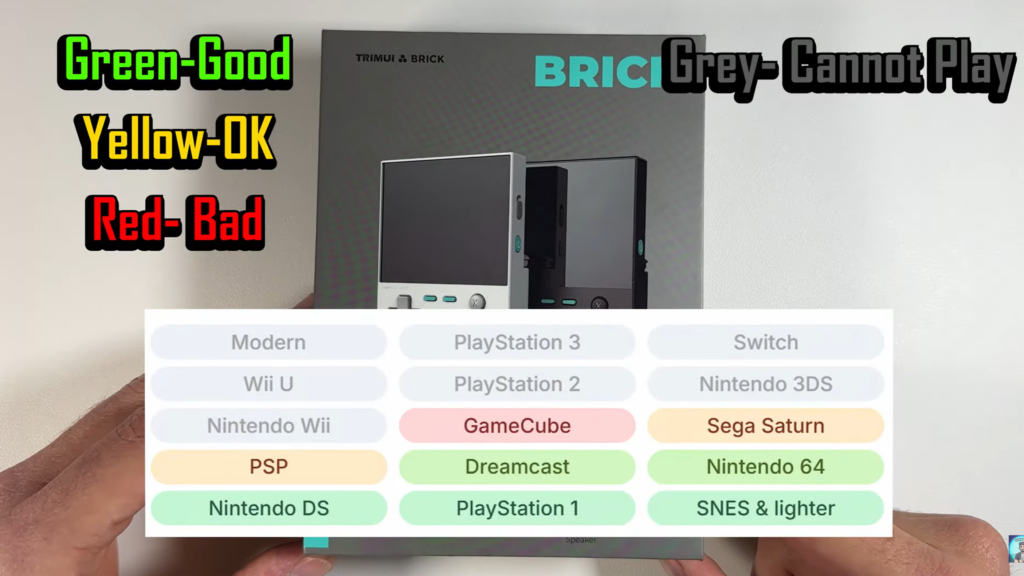
El TrimUI Smart Pro S wins on visual comfort and, for many users, session comfort. The larger horizontal layout gives the screen room to breathe and makes the device feel more substantial in use. That said, external hands-on coverage is helpful here because it avoids the lazy assumption that a larger body automatically means perfect ergonomics. One detailed review praises the screen heavily but is more mixed on how the device sits in the hands, specifically noting that the back grip texture and resting position may not work equally well for everyone over long sessions.
That is exactly the kind of nuance a professional article should include.
Ergonomic truth, stated simply
- El Brick is easier to live with.
- El Smart Pro S is easier to visually enjoy.
- Neither advantage automatically cancels the other.
Hardware class: the Smart Pro S is the more ambitious machine
If we move from physical design to internal hardware, the Smart Pro S clearly shifts into a different class.
External review coverage lists the TrimUI Smart Pro S with:
- Allwinner A523
- Mali-G57 MC1-2EE
- 1GB LPDDR4X
- 4.96-inch 1280×720 IPS
- 5000mAh battery
- Wi-Fi / Bluetooth
- 2x USB-C
- 3.5mm audio
- microSD expansion.
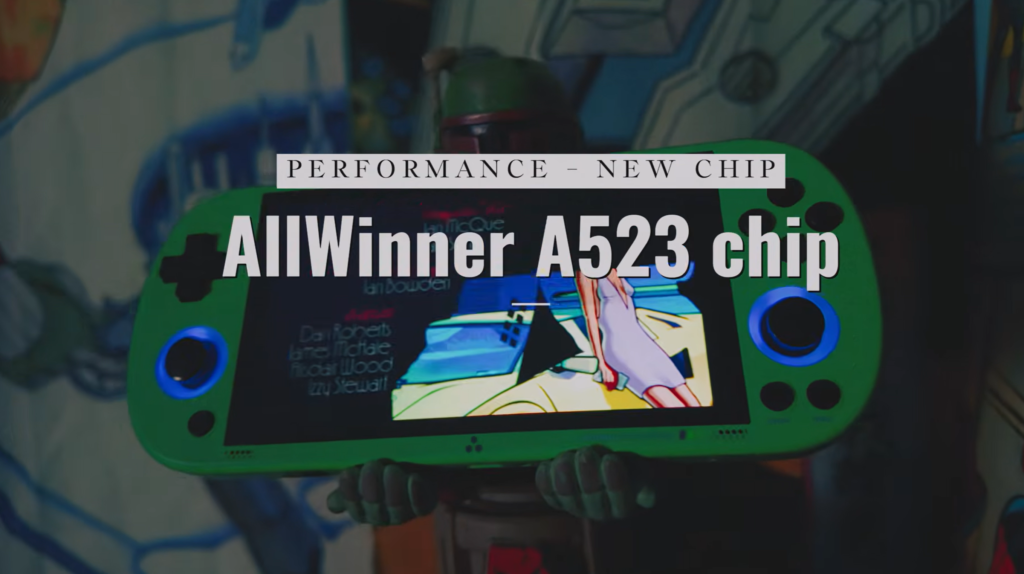
A Retro Catalog device page similarly positions the Smart Pro S with much stronger practical emulation ceilings than typical compact entry models, listing high suitability for N64, Dreamcast, and PSP relative to classic-only tiers, while still framing it as a retro-first Linux handheld rather than a premium Android power device.
The Brick, by contrast, is sold on your own site around:
- 3.2-inch screen
- Linux OS
- 3000mAh battery
- simple stable experience
- portable daily use
- TF card expansion
- and generally easier, classic retro-oriented positioning.
So if your buyer question is:
“Which one is more capable as a hardware platform?”
The answer is Smart Pro S.
But if your buyer question is:
“Which one is more coherent as a minimal portable retro handheld?”
The answer is Brick.
Again, this is why the article works better when framed around portability vs bigger screen, not around simplistic “winner” language.
Real-World Performance, Battery, Software Maturity, Buyer Fit, and Final Recommendation
If previous content established the core truth of this comparison — that the TrimUI Brick is built around portability, while the TrimUI Smart Pro S is built around screen size and a more expansive play experience — then Part 2 is where that distinction becomes practical.
Because in real buying decisions, no one chooses these devices based on shape alone. People choose them based on how they will actually fit into daily use:
- what systems they plan to play,
- how long they usually play at one time,
- whether they prioritize quick access or longer comfort,
- whether they care more about “always with me” convenience or “this feels like a proper gaming handheld” presence,
- and how much setup friction they are willing to tolerate in exchange for a better overall device.
This is also where many weak comparison articles go wrong. They either turn everything into a shallow spec war, or they become so vague that the conclusion has no practical value. The better way to frame it is this:
The TrimUI Brick is better if you want a handheld that integrates into your routine.
The TrimUI Smart Pro S is better if you want a handheld that gives you more room to enjoy the games themselves.
That difference sounds simple, but it affects everything from platform fit to software expectations.
Real-world performance: these two devices serve different performance expectations
A serious comparison should never start by pretending all emulation scenarios matter equally. They do not.
El TrimUI Brick is sold on your site around a simpler, classic-retro use case: a compact Linux-based handheld with a 3.2-inch screen, portable design, a straightforward and stable user experience, TF card expansion up to 1TB on the homepage, and a 3000mAh battery with up to 5 hours of gameplay. The language used across the homepage and product page is clearly oriented toward daily retro gaming rather than pushing it as the largest or most ambitious machine in the lineup.
El TrimUI Smart Pro S, on the other hand, is consistently positioned as the larger and more capable choice. Your homepage describes it as a larger-screen handheld for better visibility and more immersive gaming, and the product listings explicitly surface a 4.96-inch IPS display, 5000mAh battery, and Allwinner A523 processor. Third-party coverage goes further and frames it as a stronger Linux handheld in the budget space, with a noticeable performance bump over the earlier Smart Pro and a particularly good fit for PSP and other widescreen systems.
That means the honest comparison is not:
- “Which one is stronger?” in a vacuum.
It is:
- “Which one matches the systems I actually care about?”
Where the Brick makes the most sense
The Brick makes the most sense when your retro library is centered around pick-up-and-play classics and when the handheld’s physical convenience matters just as much as its technical ceiling. That includes the kind of use where you want to open the device, jump into a game quickly, and not feel like you packed a larger gaming machine just to fill a ten-minute gap. Your own product page describes it exactly in those terms: easy to pick up and play, lightweight, portable, Linux-based, and well suited to travel, home use, or casual spare-minute sessions.
Where the Smart Pro S makes the most sense
The Smart Pro S makes much more sense when your expectation is broader and more visually demanding. Retro Handhelds’ review describes it as a “big-screen PSP on Linux under $100” handheld, specifically praising its big, bright IPS screen for PSP and other widescreen systems, while also noting a noticeable performance bump versus the original Smart Pro. Retro Catalog similarly lists the Smart Pro S with a 4.96-inch 1280×720 IPS display, 296 PPI, and stronger relative performance indicators for PSP, Dreamcast, and Nintendo 64 than a classic-only compact device would normally target. That does not turn it into a high-end emulation monster, but it does move it into a different practical tier from a small vertical carry-first handheld.
Expert conclusion on performance
If your default gaming pattern is classic systems in short bursts, the Brick’s performance story is already enough because the product is designed around convenience and clarity, not around stretching into every possible use case. If your gaming pattern includes PSP, larger-screen systems, or longer sit-down sessions where screen real estate matters, the Smart Pro S is the better fit because its whole hardware profile makes more sense for that type of use.
Battery life and session length: one is for daily carry, the other is for staying power
Battery discussions in handheld comparisons are often too shallow. Writers throw out the battery size and stop there. But battery capacity is only useful if you connect it back to the intended ownership pattern.
El TrimUI Brick is described on your homepage as having a 3000mAh battery with up to 5 hours of gameplay, and that figure fits the whole identity of the device: compact, simple, easy to carry, and suitable for everyday use. The battery is not there to make the Brick a marathon machine. It is there to make sure the device works as a reliable companion. That is a different kind of value.
El TrimUI Smart Pro S is repeatedly listed on your homepage and product cards with a 5000mAh battery, and that larger battery is much more than a number. It supports the logic of the device: a bigger screen, a bigger body, a wider play window, and a more substantial session-oriented experience. A larger display naturally encourages longer use, and the 5000mAh battery makes that larger-format identity feel coherent rather than compromised.
Battery comparison table
| Battery factor | TrimUI Brick | TrimUI Smart Pro S |
|---|---|---|
| Battery size | 3000mAh | 5000mAh |
| Stated usage style | Up to 5 hours, daily play, portable use | Longer-play positioning through larger battery and larger body |
| Ownership implication | Better for carry-first convenience | Better for longer, more settled sessions |
What that means in practice
The Brick’s battery profile is aligned with the reality that the device is likely to be used often, but in shorter, more flexible sessions. The Smart Pro S is more aligned with intentional play: when you pull it out, you are more likely to stay with it longer because the screen itself encourages that behavior.
That is why the battery comparison should not be treated as raw capacity alone. It is about what the battery allows the device to be.
Software and ownership reality: simpler daily use versus more ambitious device expectations
In this category, software maturity and ease of use matter just as much as hardware. A handheld that looks good on paper can become annoying very quickly if the software experience does not match the buyer’s tolerance for setup and maintenance.
El TrimUI Brick benefits from being easy to describe. Your site consistently positions it around a smooth Linux OS, stability, simplicity, and daily retro gaming use. That language matters, because it lowers buyer anxiety. It tells the user that the point of the product is not complexity; it is ease of entry and straightforward play.
This is also where one of your internal links naturally belongs. In the live article, when you discuss setup and beginner-friendliness, you should link directly to your TrimUI Brick setup guide. That keeps readers inside your own ecosystem and reinforces the idea that Brick ownership is not only portable, but also supported and understandable from within your site. (trimuibrick.com)
El TrimUI Smart Pro S has a different software story. External review coverage is useful here because it adds nuance. Retro Handhelds praises the Smart Pro S for value, big-screen appeal, and hardware progress, but also says the stock OS is only “fine” and not something you would want to rely on long term if you enjoy tweaking. That is exactly the kind of detail a professional comparison should include: the Smart Pro S is attractive as a larger and more capable Linux handheld, but it also carries slightly more “owner involvement” energy than a smaller pure convenience-first machine.
Ownership distinction
- Brick: easier to frame as stable, simple, and low-friction
- Smart Pro S: more exciting as a hardware package, but also more likely to appeal to buyers who are comfortable with a device that invites a bit more involvement
That is not a flaw in the Smart Pro S. It is simply part of its identity as the more ambitious model.
Ergonomics over time: portability comfort and play comfort are not the same thing
One of the most useful distinctions in handheld analysis is the difference between carry comfort y play comfort.
El Brick clearly wins on carry comfort. Its smaller size, lighter conceptual footprint, and portable-first positioning make it easier to keep nearby all the time. It is the kind of handheld you are more likely to use precisely because it is never a burden. Your product page and homepage language strongly support that interpretation, repeatedly describing the Brick as compact, portable, and suitable for travel or casual spare moments.
El Smart Pro S is more mixed in a way that actually makes the article more trustworthy. On the positive side, your own homepage describes it as having a comfortable layout suitable for both quick play and longer sessions, and the larger horizontal design naturally gives the hands and eyes more room. On the more critical side, Retro Handhelds says ergonomics are still a weak point, citing limited hand rest, slippery texture, and small, clicky controls that will not suit everyone. That is exactly the kind of specialist nuance you want in a serious comparison: larger does not always mean universally better in the hand.
The honest ergonomic verdict
- If you care more about never hesitating to bring the handheld with you, the Brick is the better ergonomic product.
- If you care more about seeing more, holding a wider body, and giving games more visual room, the Smart Pro S is the better ergonomic idea — with the caveat that not every user will love its exact grip and control feel.
That is much more useful than pretending one “wins ergonomics” universally.
Value for money: what kind of value are you actually buying?
This is where expert comparisons should stop thinking in simple price terms and start thinking in value density.
El TrimUI Brick is not valuable because it is the biggest or most ambitious handheld. It is valuable because it does a clear job well: it gives you a compact, attractive, Linux-based retro handheld that is easy to carry, easy to understand, and supported by your own site’s product and setup content. Its value is in how cleanly it solves the “I want a retro handheld I will actually keep near me” problem.
El Smart Pro S is valuable in a different way. Retro Handhelds explicitly calls it excellent value in the budget Linux handheld space because it pairs a big, bright screen with stronger performance and future firmware potential, even while noting its ergonomic compromises. That is a very specific kind of value: the Smart Pro S is attractive because it gives you a larger and more capable experience without moving into a much more expensive device class.
Value question, simplified
Ask yourself which sentence bothers you more:
- “The screen is smaller, but the device is always easy to carry.”
- “The device is bigger, but the games feel much better on it.”
If the first sentence feels right, buy the Brick.
If the second sentence feels right, buy the Smart Pro S.
That is the real economics of this decision.
Buyer personas: who should actually buy each one?
This is where the article becomes genuinely useful for ranking and for users.
Buyer type 1: the commute and travel player
This buyer wants:
- something compact,
- something easy to throw in a bag or pocket,
- something that turns dead time into gaming time,
- and something that never feels like “too much device.”
Best fit: TrimUI Brick.
This is exactly the role your own site gives it: portable, simple, stable, easy to pick up, and well suited to travel and daily use. You should naturally link this section to the TrimUI Brick product page. (trimuibrick.com)
Buyer type 2: the immersion-first retro player
This buyer wants:
- a larger display,
- more visual comfort,
- better fit for PSP and other systems that feel cramped on small screens,
- and a handheld that feels more like a primary play device.
Best fit: TrimUI Smart Pro S.
Your homepage and the Retro Handhelds review point in exactly this direction: larger display, more immersive view, especially strong appeal for PSP and other widescreen systems. This is where you should link to the TrimUI Smart Pro S product page and, externally, to the Retro Handhelds Smart Pro S review.
Buyer type 3: the cautious beginner
This buyer wants:
- simple setup,
- low friction,
- easy day-to-day use,
- and the feeling that the device does not ask too much from them.
Best fit: TrimUI Brick.
The cleaner product story matters here. The Brick is easier to explain in one sentence, and that makes it easier to recommend.
Buyer type 4: the spec-aware value hunter
This buyer wants:
- more display,
- more battery,
- more capability,
- and a stronger “hardware package per dollar” feeling.
Best fit: TrimUI Smart Pro S.
This is where the larger battery, A523 chip, 720p display, and stronger external performance framing matter. A good place for a professional external link here is the Retro Catalog Smart Pro S specs page, because it gives readers a clean hardware reference without pulling them into a noisy storefront.
Buyer type 5: the “one device I will always keep nearby” user
Best fit: TrimUI Brick.
Buyer type 6: the “I want to sit down and actually play” user
Best fit: TrimUI Smart Pro S.
That pair of statements may be the most useful shorthand in the whole article.
After comparing these two models as products rather than just as store listings, the answer is much clearer than it first appears:
The TrimUI Brick is the better portable retro handheld.
The TrimUI Smart Pro S is the better large-screen retro handheld.
That sounds obvious, but it is the kind of obvious that comes from proper evaluation, not from weak simplification.
El Brick is better when your priority is:
- portability,
- ease of use,
- compact daily carry,
- a clean and simple Linux handheld experience,
- and a device that fits around your life rather than asking your life to fit around it. Your own site consistently describes it in exactly those terms.
El Smart Pro S is better when your priority is:
- bigger screen immersion,
- more capability as a hardware platform,
- longer sessions,
- better fit for PSP and wider-screen-friendly retro gaming,
- and a more substantial “main handheld” feel. That framing is supported both by your own site’s positioning and by specialist third-party review coverage.
My direct recommendation
If you are writing this page for real buyers, the strongest closing sentence is:
Choose TrimUI Brick if you want the handheld that is easiest to live with.
Choose TrimUI Smart Pro S if you want the handheld that makes games easier to enjoy on-screen.
That is cleaner, more accurate, and more useful than pretending one universally defeats the other.
FAQ section for the live page
Is TrimUI Brick better than TrimUI Smart Pro S?
Not universally. The Brick is better for portability, compact daily use, and a simpler carry-first ownership pattern. The Smart Pro S is better for buyers who want a larger screen, a bigger battery, and a more immersive play experience.
Does TrimUI Smart Pro S have a bigger screen than TrimUI Brick?
Yes. Your site positions the Smart Pro S as the larger-screen handheld, and third-party references list it at 4.96 inches with 1280×720 resolution, versus the Brick’s 3.2-inch screen.
Is TrimUI Brick better for travel?
Yes. Based on your own site’s product and homepage copy, Brick is clearly the more portability-focused model, designed for lightweight everyday carry, quick sessions, and simple Linux-based retro gaming.
Is TrimUI Smart Pro S better for PSP?
In general, yes. The Smart Pro S is repeatedly highlighted by specialist reviewers as especially well suited to PSP and other widescreen systems because of its big, bright 4.96-inch display and stronger hardware profile. (retrohandhelds.gg)
Which one should most people buy?
Most people should buy based on behavior, not specs. If you want a retro handheld that fits easily into your everyday routine, choose Brick. If you want a retro handheld that gives you more screen and a more spacious playing experience, choose Smart Pro S.