
I’ll be honest: when I first saw the TrimUI Brick, I was more curious about the TrimUI Brick firmware than the hardware itself. I thought it might be one of those cute little handhelds that looks nice on camera but ends up being too small, too fiddly, or just not something I would actually use for more than a few days.
That happens a lot with retro handhelds.
They arrive, you set them up, you test a few games, you think “yeah, this is pretty cool,” and then they slowly disappear into a drawer with the charging cables, spare microSD cards, and other gadgets you promised yourself you would use more often.
The Brick feels a little different.
Not because it is the most powerful device in this category. It is not. Not because it can magically run every system perfectly. It can’t. What makes it interesting is much simpler: it is small enough to keep nearby, the screen looks sharper than you expect, and the whole thing has that “just pick it up for five minutes” feeling that a lot of bigger handhelds lose.
That is probably the best way to understand the TrimUI Brick. It is not trying to be your main gaming machine. It is trying to be the one you actually grab when you only have a few minutes.
And that matters more than it sounds.
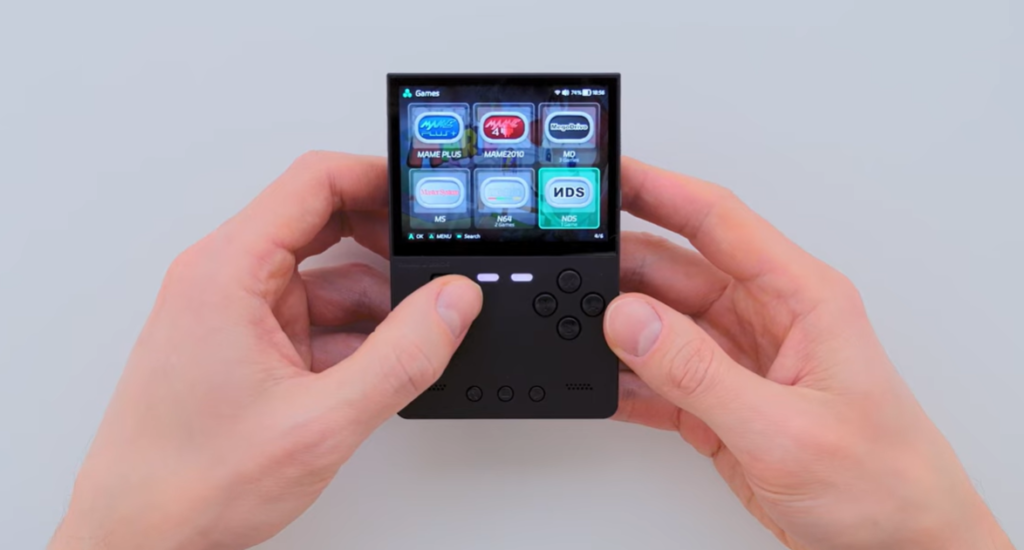
A Small Device With a Clear Purpose
The TrimUI Brick is a compact vertical retro handheld. In plain English, it is a small pocket gaming device made mainly for classic games: NES, SNES, Sega Genesis, Game Boy, GBA, arcade, PlayStation 1, and similar systems.
That is where it makes the most sense.
You may see menus or firmware setups that include more demanding systems, and yes, some games from those platforms may run. But I would not buy the Brick because I wanted a serious PSP machine or a heavy 3D emulator box. That is not really its personality.
The Brick is more like this:
You turn it on.
Pick an old game.
Play for ten minutes.
Put it down.
Come back later.
That sounds basic, but for a retro handheld, basic can be good. Actually, basic is often what keeps a device enjoyable.
Some handhelds give you too many options and somehow become less fun. Too many settings, too many menus, too much tweaking before you even start playing. The Brick works best when you let it stay simple.
The Design Is Boxy, But in a Good Way
The name “Brick” is not subtle. It looks like a little block, and that is part of the charm.
The black version especially has a clean, almost serious look. It does not scream “toy,” and it does not try too hard to copy an old Game Boy either. It sits somewhere between retro and modern. I like that.
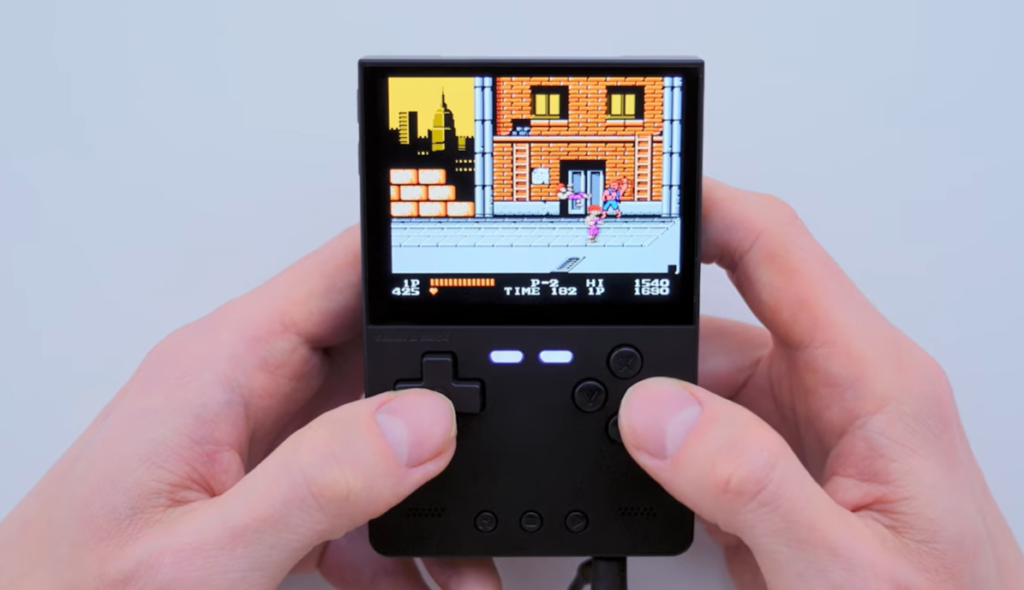
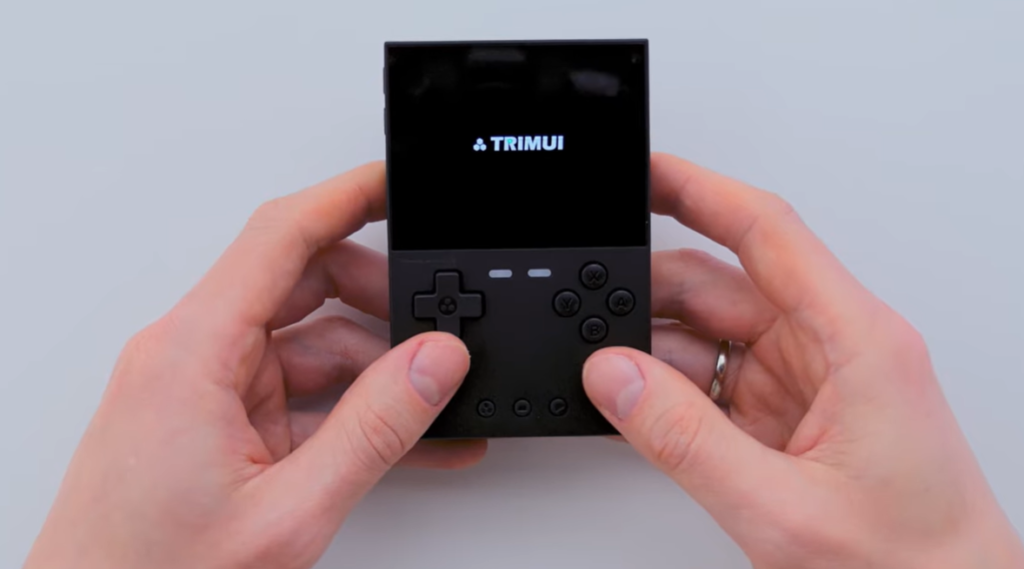
The front layout is easy to understand at a glance: screen at the top, controls below, small system buttons in the middle. No weird gimmicks. No strange button placement that makes you wonder what the designer was thinking.
It is small, though. That needs to be said early.
If you have big hands and you want to play action games for two hours straight, this probably will not be the most comfortable handheld you own. But for short sessions, the size works in its favor. You do not need to “prepare” to use it. It is the kind of device that can live on your desk or in your bag without becoming annoying.
That is one of the reasons I think people are paying attention to it.
The Screen Is Probably the Best Surprise
On paper, a 3.2-inch screen does not sound exciting. In fact, it sounds a little small if you are used to larger handhelds.
But the resolution changes the story.
The TrimUI Brick uses a sharp 4:3 display, commonly listed at 1024 × 768. On a screen this size, that makes a real difference. Icons look clean. Text looks better than expected. Pixel art has a crispness that suits old games very well.
This is one of those things that does not always come across in a spec sheet. A bigger screen with a lower-quality panel can look worse than a smaller screen with better density and scaling. The Brick benefits from being small and sharp at the same time.
For systems like SNES, Genesis, arcade, and PS1, the 4:3 shape also feels right. You are not constantly fighting huge black bars or ugly stretching. Older games simply look more at home here.
GBA is a little different because of its own aspect ratio, but it still looks good because the screen is dense enough to handle scaling nicely.
PSP, on the other hand, is not the natural match. You can try some games, and some may be playable, but the screen shape reminds you pretty quickly that this is not a PSP-first device.
What It Feels Best For
If I were recommending the TrimUI Brick to someone, I would not say, “Buy this because it supports a huge number of systems.”
That kind of pitch is everywhere, and honestly, it is not very useful.
I would say this instead:
Buy it if you mostly want to play classic 2D games, handheld games, arcade games, and PS1-era titles in a small form factor.
That is where the Brick feels comfortable.
A quick Genesis platformer? Yes.
A GBA RPG? Definitely.
A few rounds of an arcade game? Makes perfect sense.
A PS1 game with readable menus and simple controls? Good fit.
A demanding PSP action game? Maybe not the reason to buy it.
That does not sound as flashy, but it is more honest.
And for customers, honest is better. Nobody wants to buy a small retro handheld expecting it to behave like a much larger, more expensive machine.
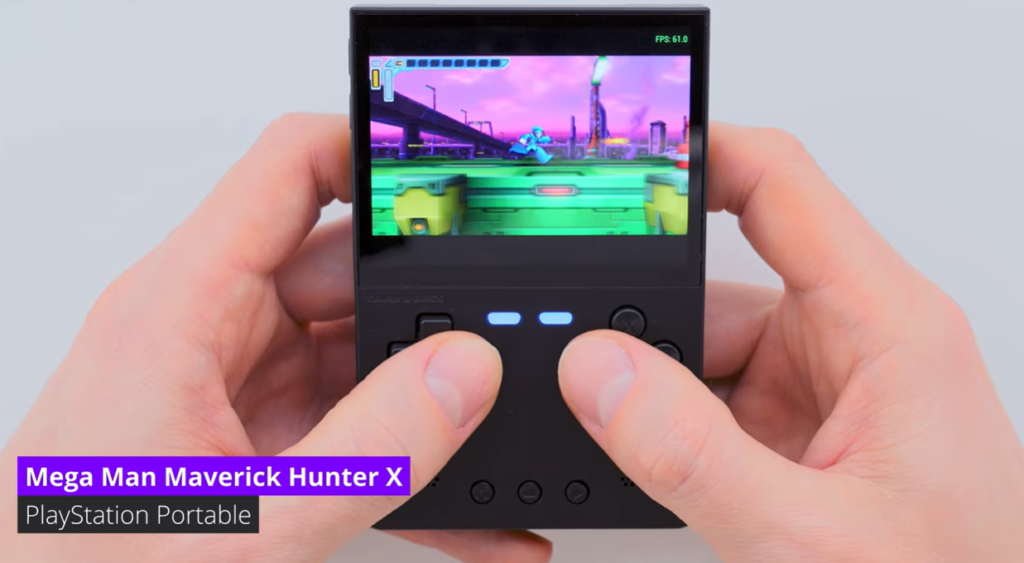
Controls: Fine for Quick Play, Not Magic
The controls look straightforward, and that is mostly how they feel. The D-pad is where you expect it. The face buttons are easy to reach. The middle buttons are small but useful for system functions.
For slower games, RPGs, puzzle games, and most 2D titles, the layout works well.
For fast fighting games or long action sessions, the small size becomes more obvious. That is not really a failure of the Brick. It is just physics. Small handhelds are portable because they are small; they are not going to feel like full-size controllers.
This is where expectations matter.
If you want something to carry everywhere and play in short bursts, the controls are fine. If you want something to hold for an entire evening, you may prefer a bigger horizontal device.
Personally, I think the Brick is better when you treat it like a quick-session machine. Pick it up, play a little, put it down. In that role, it feels natural.
Firmware Matters More Than People Think
The video this article is based on focuses heavily on firmware, and that makes sense. With devices like the TrimUI Brick, the firmware can change the whole experience.
Good hardware with messy software still feels bad.
Average hardware with clean software can feel surprisingly good.
That is just how retro handhelds work.
A good firmware setup should make the game library easier to browse, make settings easier to reach, and make the device feel less like a project. You do not want to spend more time adjusting menus than playing games.
The video presents MOS as one of the stronger firmware choices for the Brick, especially if you want something convenient and more polished. That said, I would still tell a new user not to rush.
Use the stock setup first.
Make sure the device works.
Learn where everything is.
Back up your files.
Then try custom firmware when you are ready.
That is the safer path, and it avoids turning day one into a troubleshooting session.
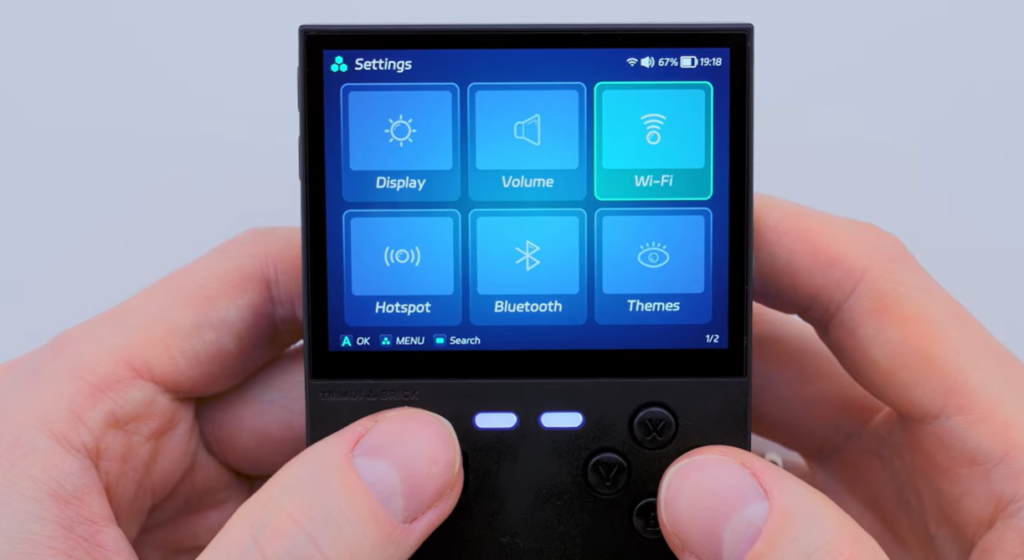
The Interface Looks Simple, and That Is a Good Thing
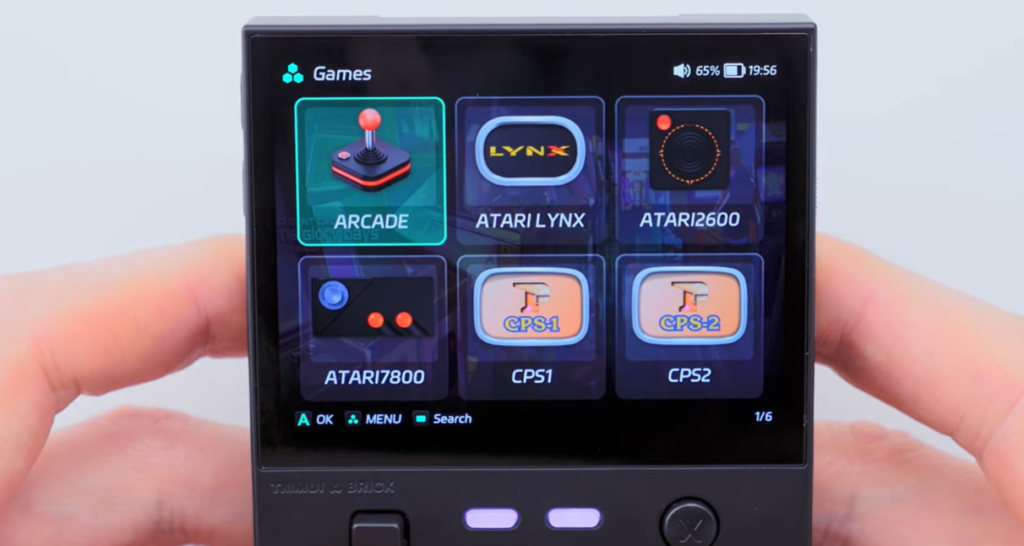
One thing I like from the screenshots is that the interface does not look overloaded. The system categories are shown as large tiles, and the settings page is easy to read.
That sounds like a small detail, but it makes a difference.
Retro handhelds are not smartphones. They should not need deep menus for basic things. If you want to adjust brightness, change volume, connect Wi-Fi, or jump back into a game, the path should be obvious.
The Brick seems to understand that. At least from the video and screenshots, the interface feels more practical than decorative.
That is exactly what I want from a device this size.
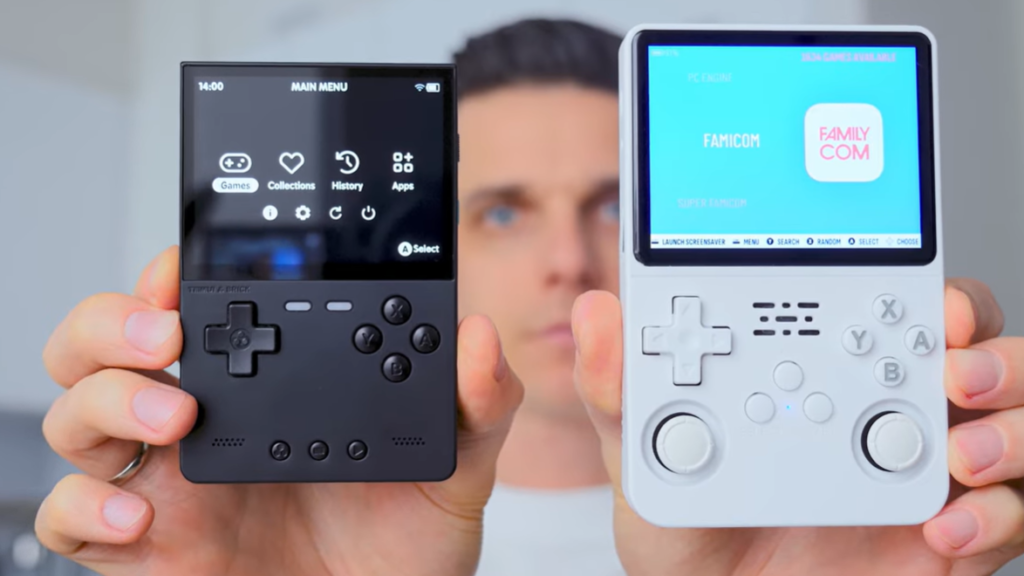
TrimUI Brick vs TrimUI Brick Hammer
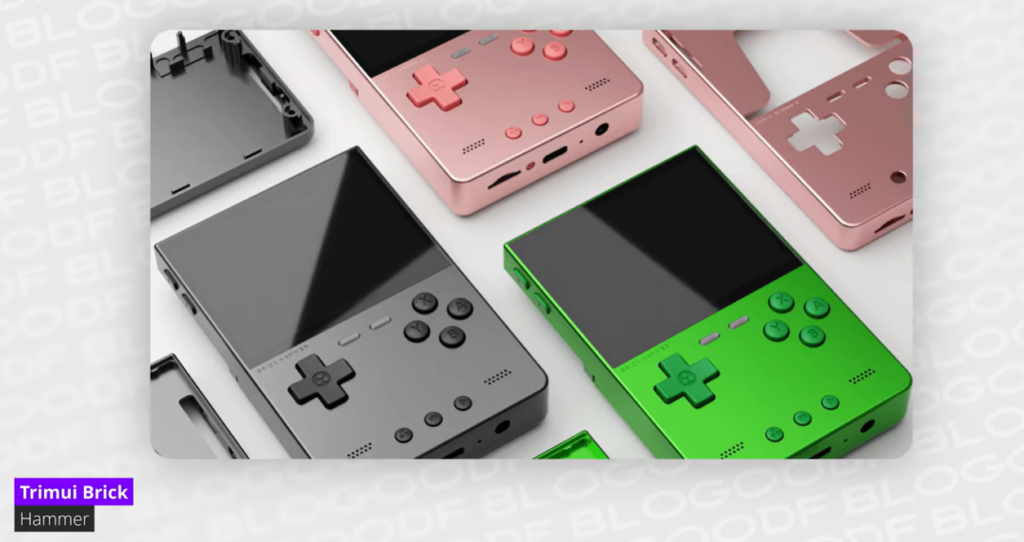
The images also show the TrimUI Brick Hammer, which has a slightly different feel. The standard Brick is more minimal and practical, especially in black. The Hammer version looks more colorful and more like something a collector or gift buyer might notice first.
I would separate them this way:
Choose the TrimUI Brick if you want the cleaner everyday version.
Choose the TrimUI Brick Hammer if you care more about colors, style, and visual personality.
Neither approach is wrong. They just speak to different buyers.
The standard Brick feels like the one you throw in a bag. The Hammer feels like the one you show someone.
Early Verdict
The TrimUI Brick is not exciting because it beats every other handheld on specs. It does not.
It is exciting because it seems to understand what a pocket retro handheld should be: small, sharp, quick to use, and pleasant enough that you keep coming back to it.
That is harder to get right than it sounds.
For NES, SNES, Genesis, Game Boy, GBA, arcade, and many PS1 games, the Brick looks like a very sensible little device. For PSP-heavy users, N64 perfectionists, or people who want a big screen and long-session comfort, it is probably not the right first choice.
But for someone who wants a compact retro handheld that looks good, feels simple, and is easy to carry, the TrimUI Brick has a strong case.
Not every device needs to be the most powerful.
Sometimes the best handheld is the one sitting close enough that you actually use it.
Living With the TrimUI Brick for Daily Retro Gaming
A retro handheld can look great during the first hour. The more useful question is how it feels after a few days.
This is where the TrimUI Brick has a chance to stand out. It is not the sort of device that asks for a special setup every time you want to play. You do not need to clear a table, connect anything, or get comfortable for a long session. It is closer to a small notebook or a pocket camera. It can sit nearby until you feel like using it.
That makes a real difference.
I have used larger handhelds that were technically better but somehow less inviting. They were powerful, sure, but I had to think before using them. Battery level, case, grip, size, charging cable, where to put them afterward. It sounds silly, but these little barriers add up.
The TrimUI Brick does not remove every barrier, but it removes enough of them.
For a device built around older games, that is exactly the point.
What Kind of Player Will Enjoy It Most?
The TrimUI Brick is not hard to understand, but it is easy to misunderstand.
If someone buys it expecting a tiny miracle machine that runs every system perfectly, they may end up disappointed. If they buy it as a compact retro handheld for older games, they will probably have a much better time.
I would put the ideal TrimUI Brick user into a few groups.
The first group is the casual retro player. This is someone who wants to play familiar games without building a whole emulation setup. They want something simple, physical, and separate from their phone.
The second group is the collector. The Brick has enough personality to feel interesting on a shelf or desk, especially next to other small handhelds. It does not look generic.
The third group is the “short session” gamer. This might actually be the best match. If you like playing in small bursts rather than long sessions, the Brick makes a lot of sense.
The fourth group is the tinkerer, but only to a point. Firmware options make the device more interesting, though I would not say the Brick should be bought only as a project. It is better when the setup supports the gaming, not when the setup becomes the whole hobby.
A More Honest Game Compatibility View
Compatibility lists can be misleading.
A product page might say a device supports dozens of systems, and technically that may be true. But “supported” does not always mean “pleasant.” Sometimes it means a game boots. Sometimes it means a game runs but needs settings changes. Sometimes it means half the library is fine and the other half is not worth the time.
So I would describe the TrimUI Brick more carefully.
It is very comfortable with older 2D systems. It is good with many handheld and arcade platforms. It can handle a lot of PS1-style content. After that, things become more game-specific.
Here is the practical version:
| System type | How I would describe it |
|---|---|
| 8-bit consoles | Easy fit. This is simple, clean retro gaming. |
| 16-bit consoles | Probably one of the best uses for the device. |
| Game Boy / GBC | Very natural on a small handheld. |
| Game Boy Advance | A strong match, especially for RPGs and platformers. |
| Arcade / CPS | Great for short sessions, depending on the game. |
| PlayStation 1 | Good fit for many titles, especially slower games and RPGs. |
| Nintendo DS | Possible, but dual-screen layouts are always a compromise. |
| Nintendo 64 | Some fun is possible, but do not expect perfection. |
| PSP | Nice as a bonus, not the reason I would buy it. |
This is also how I would talk to a customer. Not with hype, but with context.
The Brick is much easier to appreciate when you stop asking it to be something it is not.
The Best Games Are Usually the Ones That Start Fast
This may sound strange, but on a handheld this small, the best games are not always the most impressive ones.
They are the ones you can start quickly.
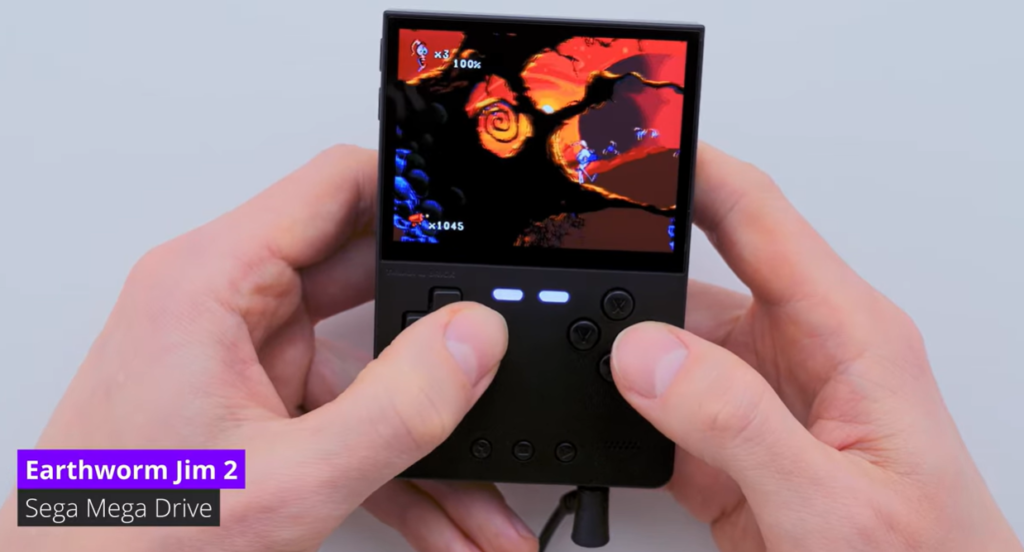
Arcade games are perfect for that. So are puzzle games. So are 16-bit platformers and GBA games. You can jump in, play a little, and quit without feeling like you interrupted something huge.
Long RPGs also work, but in a different way. They are good when save states are easy to use and the screen is clear enough for text. That is one reason the Brick’s sharp display matters. It makes menu-heavy games less tiring.
The games that feel less natural are usually the ones that expect a bigger screen, analog controls, or long focus. Some PSP and N64 games fall into that category. They may run, but they do not always feel at home.
That is not a problem if you choose your library wisely.
A small handheld becomes much better when you fill it with games that match the device.
Firmware Again, Because It Really Does Matter
I know firmware sounds boring if you are new to retro handhelds. It sounds like something only hobbyists care about.
But on the TrimUI Brick, it matters.
The stock system may be enough for a beginner, and there is nothing wrong with starting there. Actually, I think that is the better way to begin. Test the device first. Make sure the screen, buttons, speakers, charging, and microSD card all behave properly.
Then, once you know the basics, custom firmware becomes more interesting.
The video you provided focuses on finding the best firmware for the Brick, and MOS gets attention because it seems to make the device feel more polished and easier to live with. That is the kind of improvement that matters on a small handheld.
Not “Can I change twenty advanced settings?”
More like:
Can I find my games faster?
Can I get back to recently played titles?
Can I use save states without thinking too much?
Can I adjust the device quickly?
Does the menu make sense when I am half awake at midnight?
That last one is more important than it sounds.
Good firmware feels invisible. Bad firmware keeps reminding you it exists.
My Suggested Setup Path for New Users
I would not tell a new buyer to install custom firmware immediately.
That may be common advice in enthusiast communities, but not every customer wants to spend the first evening reading guides. Some people just want to turn the device on and play something.
A safer path looks like this:
Use the device as it comes.
Play a few games from different systems.
Check the buttons and sound.
Adjust the brightness.
Test charging and sleep behavior.
Back up the original card or files.
Then decide whether firmware changes are worth it.
This keeps the first experience relaxed. It also makes troubleshooting easier later because you already know what worked before changing anything.
For trimuibrick.com, this is a good place to add an internal link:
Recommended guide: TrimUI Brick firmware installation guide
That guide should be simple and visual. Screenshots, short steps, clear warnings. No giant wall of text. Most buyers do not want to feel like they are flashing a phone ROM from 2013.
ROMs, BIOS Files and Game Organization
This is the unglamorous part of retro handheld ownership, but it makes a huge difference.
A messy game library can ruin a good handheld.
If every folder has duplicate names, strange file extensions, broken games, missing BIOS files, and no clear categories, the device starts to feel worse than it is. The hardware gets blamed, but often the real issue is organization.
For the TrimUI Brick, I would keep things simple:
Use clean folder names.
Do not add thousands of games at once.
Start with the systems you actually play.
Test a small library first.
Add box art later, not before everything works.
Keep a backup on your computer.
This sounds boring, but it saves time.
A curated library of 100 games is often better than a chaotic library of 10,000. You spend less time scrolling and more time playing.
Suggested internal link:
Setup help: TrimUI Brick ROMs and BIOS setup guide
Battery and Everyday Use
Battery life is one of those things that depends heavily on brightness, volume, system, emulator settings, and how old the battery is. So I would avoid making wild claims unless you have exact testing data from your own unit.
What matters more in this review is the everyday pattern.
The TrimUI Brick feels like a device you use in small pieces. That means battery life does not need to carry a full day of heavy gaming to feel useful. It needs to be reliable enough for commuting, breaks, travel waiting time, and casual evening play.
For most users, the practical advice is simple:
Keep brightness reasonable.
Use sleep mode carefully.
Charge before travel.
Do not leave it dead for long periods.
Use a decent charger and cable.
Also, if the device is going to be sold internationally, avoid promising one exact battery result to every buyer. Different firmware versions and emulator choices can change the outcome.
Honesty is safer here.
Build Quality: Not Luxury, But Better Than Disposable
The TrimUI Brick does not need to feel luxurious to succeed. It just needs to feel solid enough that people trust it.
From the close-up shots, the shell looks tidy, the back panel has some texture, and the labeling feels more finished than what you see on many no-name mini handhelds. The buttons and screen layout also look clean.
That matters for a product like this.
Customers are not only buying performance. They are buying the feeling of a small object they will hold again and again. If it feels cheap, they notice. If it feels thoughtfully made, they notice that too.
The Brick seems to land closer to the second category.
Not premium in the expensive sense. More like: clean, practical, and nicely put together for what it is.
That is probably the right balance.
Is It Good as a Gift?
Yes, with one condition.
The person receiving it should already like retro games, or at least be curious about them.
As a gift, the TrimUI Brick has a few strong points. It looks interesting. It is small. It is easy to explain. It does not require a huge learning curve for basic play. And compared with larger handhelds, it feels less intimidating.
The Hammer version may be even better as a gift because the colors make it more visually memorable.
But if you are buying for someone who only plays modern mobile games, cloud games, or competitive online games, this may not be the right match. The charm of the Brick comes from older games and a slower, more nostalgic style of play.
That is exactly why many people will love it. It is also why some people will not.
TrimUI Brick vs Bigger Horizontal Handhelds
This comparison comes up often, even if people do not say it directly.
Should you buy a small vertical handheld like the Brick, or a larger horizontal handheld with more comfort and power?
The answer depends on how you play.
A bigger horizontal handheld is better for long sessions. It usually gives you more grip, more screen space, and often more performance. If you mostly play at home, that may be the better choice.
The TrimUI Brick is better when size matters. It is easier to carry, easier to keep nearby, and less annoying to use in short bursts.
So the question is not “Which one is better?”
The better question is:
Where will you actually play?
If the answer is “mostly on the couch for an hour or two,” go bigger.
If the answer is “whenever I get a few minutes,” the Brick makes more sense.
A Simple Pros and Cons List
I usually do not like overly polished pros and cons sections, but they are useful for buyers. So here is the plain version.
What I like:
Small enough to carry easily
Sharp 4:3 screen
Clean design
Good match for classic 2D games
Nice for GBA, arcade and PS1-style play
Firmware options make it more interesting
Does not feel like a toy in black
What I would keep in mind:
Not ideal for long sessions
Small body may not suit large hands
PSP is not its main strength
N64 performance should be treated game by game
Custom firmware may require some patience
A messy game library can make the experience feel worse
That feels like a fair summary.
The TrimUI Brick has real strengths, but they are specific strengths. It is better to understand them before buying.
VANLIGA FRÅGOR
Is the TrimUI Brick good for beginners?
Yes, as long as expectations are realistic. A beginner can start with the stock setup and learn the device slowly. There is no need to install custom firmware on the first day.
What is the best firmware for TrimUI Brick?
The video you shared highlights MOS as a strong option, especially for users who want a more polished experience. Still, beginners should test the stock firmware first before changing anything.
Can TrimUI Brick play PSP games?
Some PSP games may be playable, but PSP should not be the main reason to buy the TrimUI Brick. The screen shape and hardware are better suited to older 4:3 systems.
What games are best on TrimUI Brick?
The best fit is classic 2D gaming: NES, SNES, Sega Genesis, Game Boy, Game Boy Advance, arcade, CPS systems, and many PlayStation 1 titles.
Is TrimUI Brick comfortable?
It is comfortable for short and medium sessions. For long sessions or large hands, a bigger horizontal handheld may feel better.
Should I buy TrimUI Brick or TrimUI Brick Hammer?
Choose TrimUI Brick if you want the cleaner everyday device. Choose TrimUI Brick Hammer if you prefer more color, style, or gift appeal.
Is the screen too small?
For modern widescreen games, yes, it may feel small. For classic retro games, the sharp 4:3 display works very well.
Final Verdict: The Brick Makes Sense When You Stop Asking It to Be Huge
The TrimUI Brick is not the handheld for everyone, and that is fine.
It is not trying to win a power contest. It is not built around a giant screen. It is not the device I would choose first for PSP-heavy gaming or long 3D sessions.
But for classic games, short play sessions, and everyday carry, it has a clear appeal.
The sharp screen helps. The small body helps. The simple interface helps. Firmware options give it room to grow. And the design has enough personality that it does not feel like just another anonymous emulator handheld.
The best thing about the TrimUI Brick is that it understands the value of being nearby.
You do not always need the most powerful handheld. Sometimes you need the one you actually pick up.
For NES, SNES, Genesis, Game Boy, GBA, arcade, and PS1 fans, that may be exactly what the Brick gets right.
Get TRIMUI For Yourself.
Ready to build a pocket retro setup around a small, sharp 4:3 handheld?
Explore the latest TrimUI Brick options at:
Resources Help
Use these sparingly near the bottom of the article or in a “Resources” block.