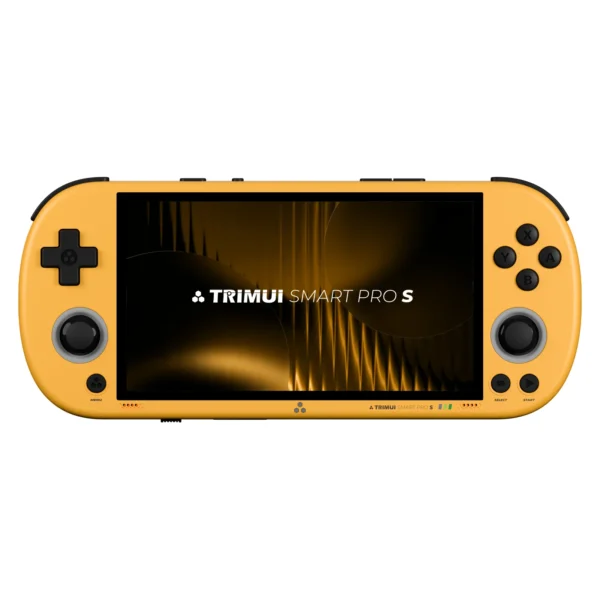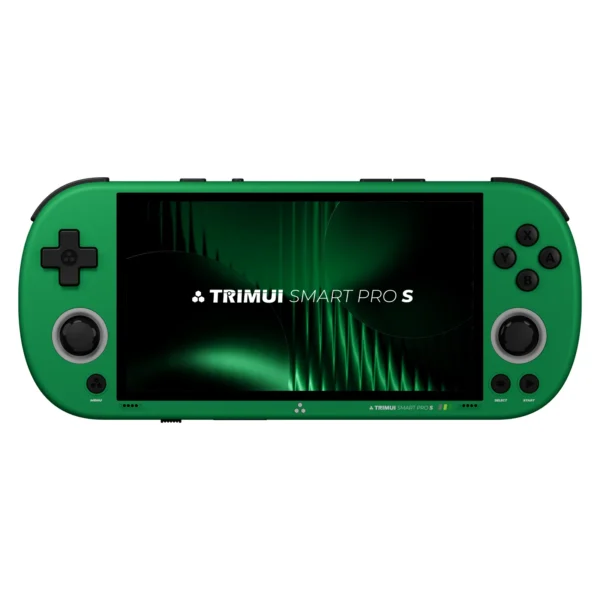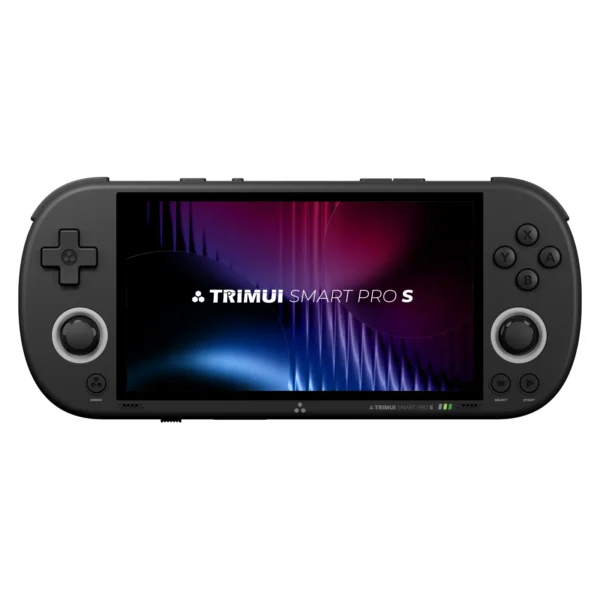
When a handheld gets a new “S” version, it usually means one of two things. Either the company changed almost nothing and hopes the new label will do the selling for them, or they quietly fixed the exact things people complained about the first time.
The TrimUI Smart Pro S feels much closer to the second kind.
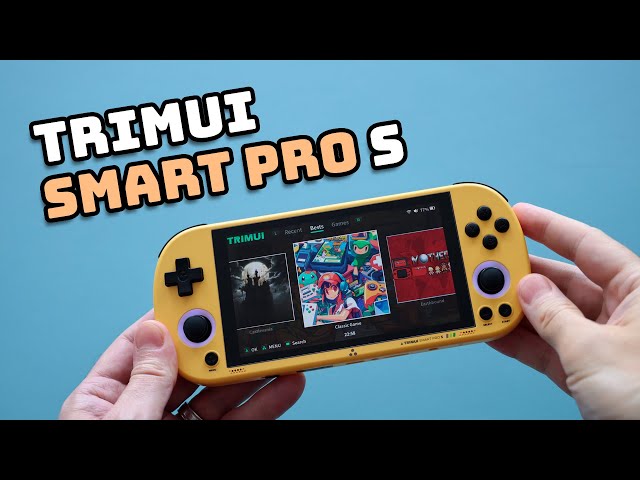
At first glance, it does not look dramatically different from the original TrimUI Smart Pro. It still has that slim, PSP-inspired shape. It still carries the same wide 4.96-inch 720p IPS display. It still feels like an affordable Linux handheld meant for retro gaming first and foremost. But once you spend real time with it, the changes become a lot easier to appreciate. The new Allwinner A523 chip brings a real-world performance bump, the controls have been refined in useful ways, and the overall experience finally feels more aligned with what this design was always trying to be. In the original model, the body looked ready for PSP and Dreamcast, but the performance was not really there. On the Smart Pro S, that gap is much smaller.
That is what makes this device interesting.
The TrimUI Smart Pro S is not the most powerful retro handheld on the market. It is not trying to replace premium devices that cost twice as much. But in the crowded world of sub-$100 retro handhelds, it manages to do something genuinely valuable: it offers a cleaner, better-balanced upgrade where the extra power is actually noticeable in the systems that need it most. And if you care about PSP emulation, Dreamcast emulation, a comfortable horizontal layout, and the flexibility of a Linux-based handheld, that matters a lot more than another spec sheet ever could.
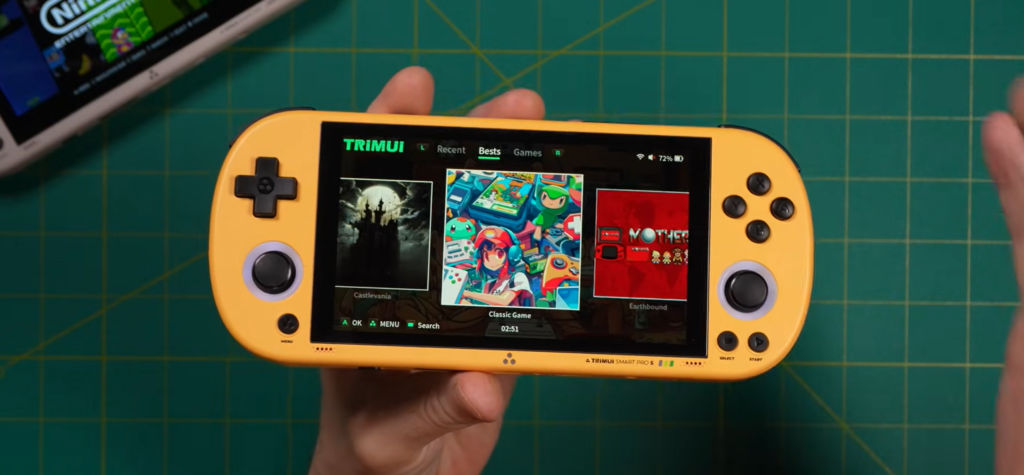
First Impressions of Trimui Smart Pro S: Familiar, But Smarter
The first thing most people will notice about the TrimUI Smart Pro S is how familiar it looks. If you have seen the original Smart Pro, this is very much the same family. The silhouette still leans heavily into the old-school handheld aesthetic that made the original so appealing in the first place. It has a shape that immediately reminds you of a PSP, but softened and modernized just enough to avoid feeling like a cheap copy.
That design still works.
The handheld is slim, rounded, and easy to slide into a bag or even a jacket pocket. It is larger than a phone, obviously, but it never feels bulky. In hand, it lands somewhere between the compact feel of a PSP and the slightly broader comfort of a Switch Lite. That middle ground ends up being one of the Smart Pro S’s strongest qualities. It is portable enough to take anywhere, but large enough to make longer gaming sessions feel relaxed instead of cramped.
What really changes the first impression, though, is not just the shell. It is how the shell now makes more sense.
The original TrimUI Smart Pro was already well-liked because of its form factor, but it had a strange contradiction at its core. It looked like a device built for wide-screen systems and slightly more demanding emulation, yet it struggled in some of the exact places you hoped it would shine. That tension is reduced here. The Smart Pro S feels like the version the original wanted to be. Same general body, but with better internal logic behind it.
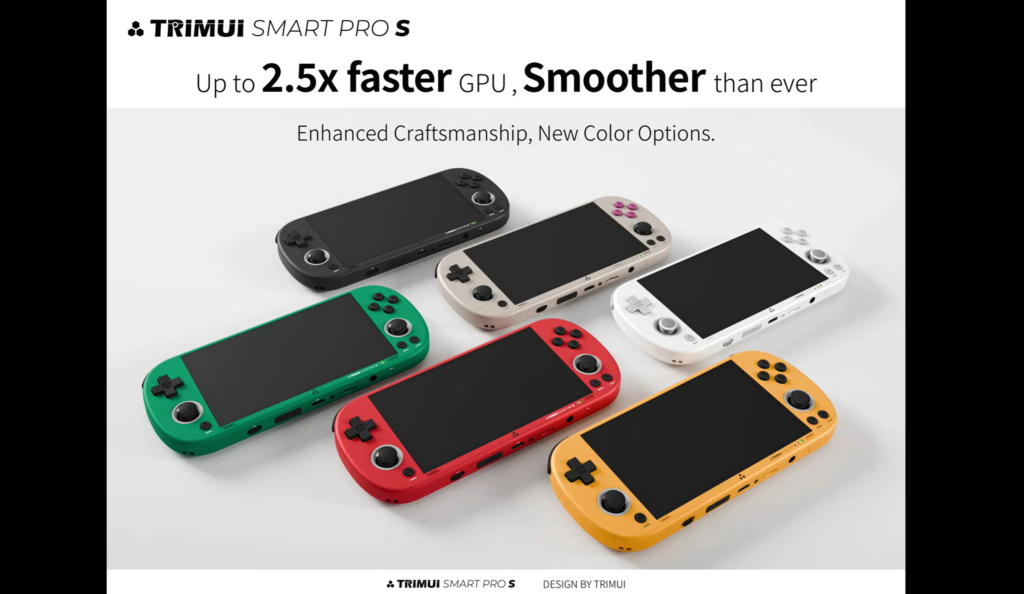
That is why this new model feels more satisfying right away. It is not trying to reinvent the wheel. It is refining a design that was already appealing and making it more usable where it counts.
Specs That Matter in Real Use
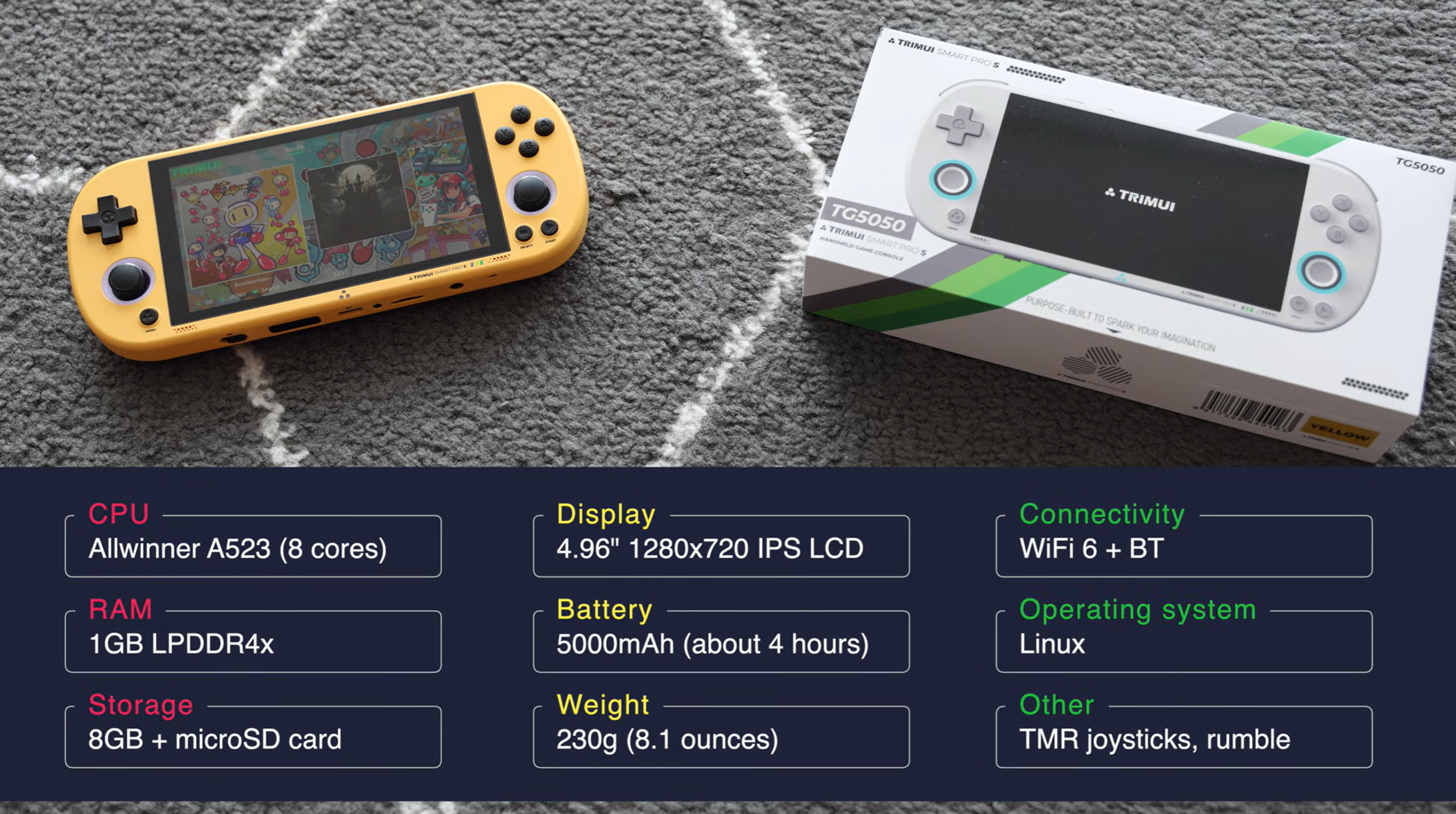
On paper, the headlining change is the move to the Allwinner A523, an eight-core chip that appears to offer around a 15% to 20% performance increase over the RK3566 seen in many other Linux handhelds in this price range. That number alone does not tell the full story, but it does explain why the Smart Pro S feels much more capable once you step beyond basic retro systems.
The rest of the core hardware stays fairly familiar:
- Allwinner A523 processor
- 1GB RAM
- 8GB internal storage
- microSD-based game storage
- 4.96-inch 720p IPS LCD
- 5000mAh battery
- Linux-based operating system
- upgraded Wi-Fi 6
- Bluetooth support
- new TMR joysticks
- active cooling fan
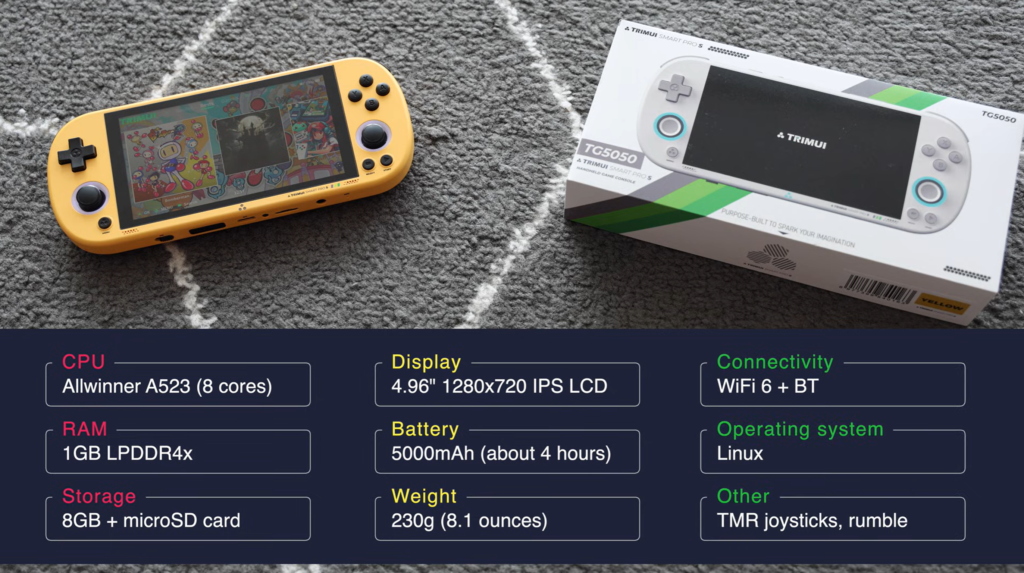
That list tells a simple story. This is not a “spec monster” handheld. It is a practical one. The processor upgrade does the heavy lifting, while everything else is tuned around the same successful framework. The screen size remains one of the best selling points. The battery is still respectable. The storage approach is still flexible. And the Linux foundation continues to separate it from the sea of similarly priced Android handhelds.
In day-to-day use, some smaller details stand out more than expected. Charging, for example, is refreshingly painless. The device reportedly works with a broad range of chargers, including USB-C and USB-A setups, faster chargers, and slower ones. Real-world charging seems to land around 8 to 10 watts, with a full charge taking roughly two hours. For a budget handheld, that kind of convenience is easy to overlook until you use a device that is picky about chargers and cables. The Smart Pro S does not seem to be.
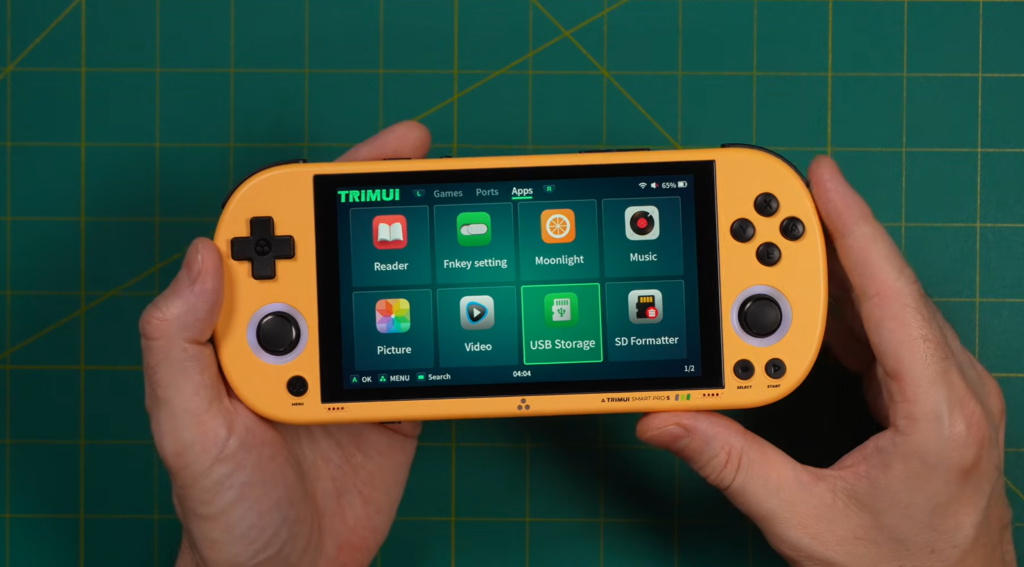
Battery life is one of those areas where marketing and reality are not exactly the same. The official expectation is around 6 hours, but mixed real-world use appears closer to 4 hours on average. That is not terrible, especially considering the increased performance and the active cooling, but it is worth being honest about. If you plan to use the TrimUI Smart Pro S as an all-day travel device, you will probably want a power bank nearby. As a handheld for commuting, evening sessions, or casual weekend use, it feels much more reasonable.
Design and Ergonomics: One of the Best Parts of the Device
If you care about comfort, the Smart Pro S makes a strong case for itself almost immediately.
This is still a D-pad-first handheld, and that identity is important. It is clearly designed with retro gaming in mind, and everything about the front layout reinforces that. But unlike some compact emulation devices that feel like they were designed to look good in photos first and be held second, this one genuinely feels nice in the hands. The rounded sides, the thin profile, and the amount of space across the back all help it rest naturally during play.
What has improved are the details.
The triggers are longer and reportedly much better than before, with a softer, cleaner click. The D-pad sits a bit higher and has a better pivot. The face buttons also protrude slightly more, making them easier and lighter to press. None of these changes sounds huge in isolation, but together they give the Smart Pro S a noticeably more polished feel. This is exactly the kind of hardware revision people usually hope for and rarely get.
The D-pad deserves special attention because it is one of the reasons many people will end up loving this handheld.
It still uses dome switches, which means inputs feel deliberate and distinct. That makes a difference in classic games where precision matters more than speed alone. In platformers, shooters, and especially retro action games, that clearer sense of direction helps reduce sloppy inputs. For fighting games, the D-pad seems better than before as well. It still has a relatively small size, so it may not be every player’s dream setup, but it appears more comfortable and less fatiguing during quarter-circle motions than the previous model.
The face buttons also sound like a genuine improvement. The earlier model needed a bit more force than some people liked. This one seems more responsive and easier to use over longer sessions. That matters for everything from SNES and GBA games to menu-heavy RPGs where you end up pressing confirm and cancel hundreds of times.
The weak point in the control setup is still the analog sticks.
Yes, the new sticks sit slightly higher than before. Yes, they feel better than the original version. Yes, they offer proper analog input without obvious snapping issues. But they are still small, Vita-style sticks with limited travel. That means they work, but they do not feel especially spacious or premium, especially when compared with the wider-range sticks now appearing on more expensive handhelds. For occasional analog use, they are fine. For systems or games that lean heavily on precise analog movement, they become one of the device’s compromises.
That is worth keeping in mind because it affects how you should think about this machine. The TrimUI Smart Pro S is excellent when used like a high-end retro-first handheld with some extra muscle. It is less convincing if you expect it to behave like a mini premium console for everything.
The Display: Good-Looking, But Not a Perfect Screen
The screen is one of the main reasons the TrimUI Smart Pro line keeps getting attention, and the Smart Pro S benefits from that same strength.
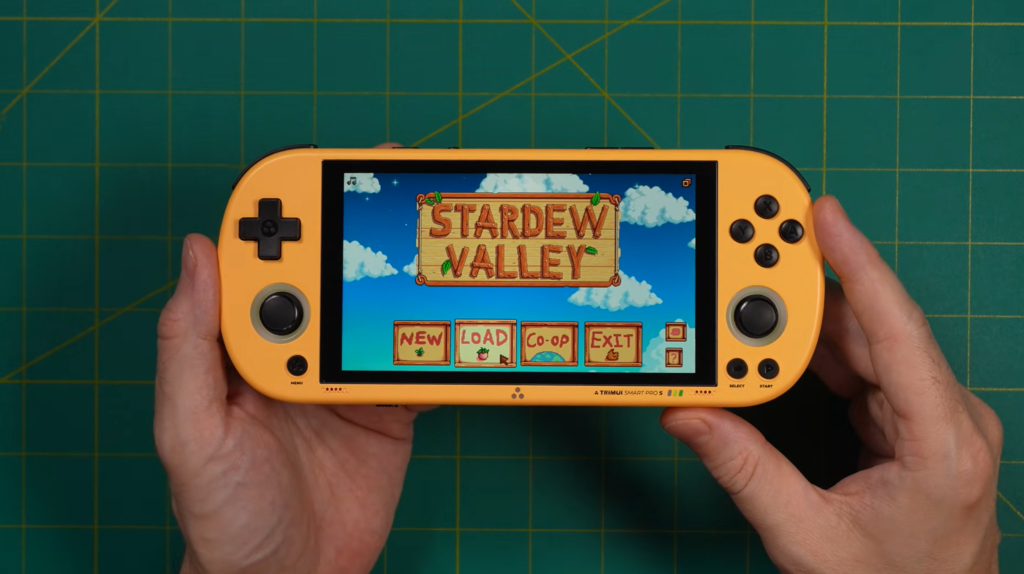
A 4.96-inch 720p IPS display is a very attractive spec at this level. It is wide enough to flatter PSP and GBA, sharp enough for upscaled PS1 content, and large enough to make menu navigation and longer sessions more pleasant than on smaller retro handhelds. Color reproduction is described as vibrant, and in the right conditions, the panel does a lot to make the device feel more premium than the price would suggest.
But this is not a flawless display.
The biggest complaint is brightness. In actual use, it appears the screen needs to be pushed close to 90% brightness to reach what many players might consider a comfortable level. That is unusually high, and it suggests the panel simply does not have much brightness headroom. Indoors, this is manageable. In shade, it is probably still fine. In direct sunlight, the screen becomes a much weaker selling point.
The second issue is viewing angles. The screen looks best when viewed straight on, but from off angles it reportedly loses some of its appeal and starts to look cheaper than you might expect in 2026. That does not ruin the experience in normal handheld use, since most of the time you are looking directly at the device anyway, but it is another reminder that this is still a budget-oriented handheld at heart.
So how should you really think about the display?
It is a good screen, and in some scenarios it is a very good one. The size and resolution are absolutely right for the kind of gaming this device is meant for. The main caveat is that it is clearly better as an indoor screen than an outdoor one. If your gaming happens on the couch, in bed, at a desk, or during travel where you are not sitting in direct sun, you will probably like it a lot. If you want a handheld for bright outdoor use, this is not the one I would recommend first.
Audio, Heat, and the Trade-Off of Active Cooling
Audio on handhelds often gets ignored until it is bad. Here, it seems solid rather than spectacular.
The speakers reportedly deliver a decent balance of lows, mids, and highs for a handheld under $100, which is really what most buyers need to hear. You are not getting premium stereo magic, but you are not getting something thin and distracting either. The only real note of concern is the speaker placement. Internally, the speakers sit closer to the analog sticks, while the visible speaker holes are lower down. That means sound travels through the shell more than you might expect, and there is a sense that the acoustic design could have been more efficient. Even so, the overall result still seems serviceable for gaming, menu sounds, and casual media use.
Thermals are more interesting.
Unlike the original Smart Pro, the Smart Pro S now includes active cooling, and that turns out to be a meaningful upgrade. The older device could get uncomfortably warm, especially because the relatively dim screen often forced users to push brightness higher. This version still gets warm, but it apparently stays much more controlled. Reported temperatures hover around 36–37°C near the fan area, around 39°C near the exhaust, and around 38–39°C on parts of the front panel when brightness is pushed high. In practical terms, that means you notice the warmth, but it does not become an issue during normal play.
That is the good news.
The less good news is that the fan itself does not sound especially refined at full speed. There is mention of a high-pitched whine, the kind of noise that immediately reminds you this is not a premium thermal solution. The positive side is that you may not hear it much if you leave the fan on auto, which seems to be the most sensible setting anyway. Still, the fan adds one more small reminder that the Smart Pro S achieves its performance jump through practical engineering, not luxury hardware.
And honestly, that is fine. I would much rather have slightly annoying fan noise on occasion than worse thermals and reduced performance all the time.
Software Experience: Stock Linux That Is Better Than Expected
One of the biggest strengths of the TrimUI Smart Pro S is that it remains a Linux handheld, and for many retro gaming enthusiasts, that alone makes it more appealing than yet another underpowered Android device with a messy frontend.
The stock operating system sounds surprisingly usable. It is not just functional; it is actually organized in a way that makes sense for everyday players. You can browse collections, jump through systems, launch games quickly, save and load states, access RetroArch’s advanced settings, and even use netplay. That kind of straightforward usability matters because the best handheld software is not always the prettiest. It is the software that gets out of your way.
The standout addition here is the new home button.
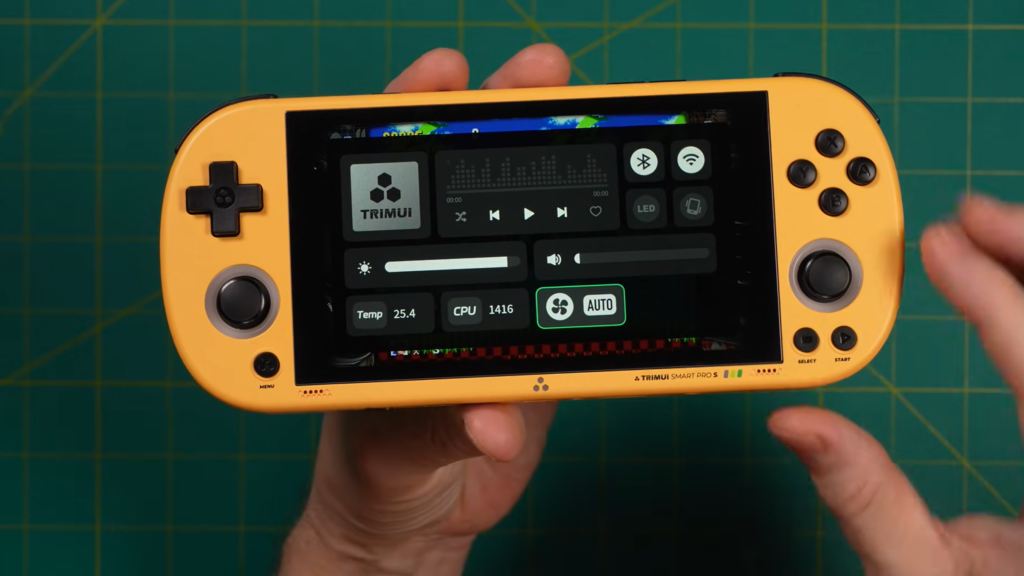
That single button apparently transforms the stock experience more than you might expect. It opens a quick-access menu where you can toggle Wi-Fi, Bluetooth, LEDs, brightness, volume, fan settings, and even monitor temperature and CPU clock speed. On a handheld like this, that is a genuinely useful quality-of-life improvement. Instead of digging through menus, you get immediate access to the things you are most likely to tweak mid-session. It makes the whole device feel more mature and more thoughtfully designed.
There is also a practical side to setup that some people will appreciate and others may find a bit awkward. Because it uses a Linux-based storage structure, the microSD card is not natively readable in Windows or macOS the way some users might expect. To load games, you connect the handheld to a computer via USB and enable USB storage mode. Once that is done, the card appears like a drive and you can drag and drop your game files into the appropriate folders. It is not difficult, but it is worth knowing upfront if you are coming from a more plug-and-play handheld environment.
Custom OS support is another reason the Smart Pro S has long-term appeal.
The transcript mentions CrossMix OS and KNULLI/Newly-style early software support, with special attention given to PortMaster, which is a huge plus for Linux handheld fans. Being able to run not just emulators but also selected PC ports adds depth to the device’s value. At around the $100 range, there are not many Linux handhelds that combine a big screen, respectable performance, and PortMaster potential this well. Even if the ecosystem is still developing, that kind of flexibility helps the Smart Pro S feel like a handheld you can grow into rather than outgrow immediately.
Performance: Where the Trimui Smart Pro S Starts Justifying Itself
This is where the TrimUI Smart Pro S stops being “a nice refresh” and starts becoming a genuinely interesting budget handheld.
For the easy systems, the story is simple. Game Boy, Game Boy Color, NES, SNES, Genesis, GBA—all of that plays exactly as you would expect. Smooth, stable, no drama. But that is not really why this handheld matters, because plenty of cheaper or older devices already do those systems well. The more important question is what happens once you step into the generation where older budget Linux handhelds start to wobble.
And the answer is: this is where the Smart Pro S earns its name.
PS1 appears to run extremely well, including 2x resolution upscale without the sort of intermittent slowdown that could still show up on the older model. That alone gives the device a more premium feeling than many retro handhelds in this segment. A large 720p screen and cleaner upscaled PlayStation visuals are a very nice combination.
Nintendo 64 also benefits from the extra horsepower. Native resolution performance seems strong overall, and the review specifically highlights games that previously struggled but now feel playable. The caveat, once again, is ergonomic rather than purely technical: N64 is a heavily analog-focused platform, and the Smart Pro S still does not have the kind of analog sticks that make that generation feel perfect. Performance is there more often than before, but comfort and precision remain a partial compromise.
The real headline, though, is Dreamcast and PSP.
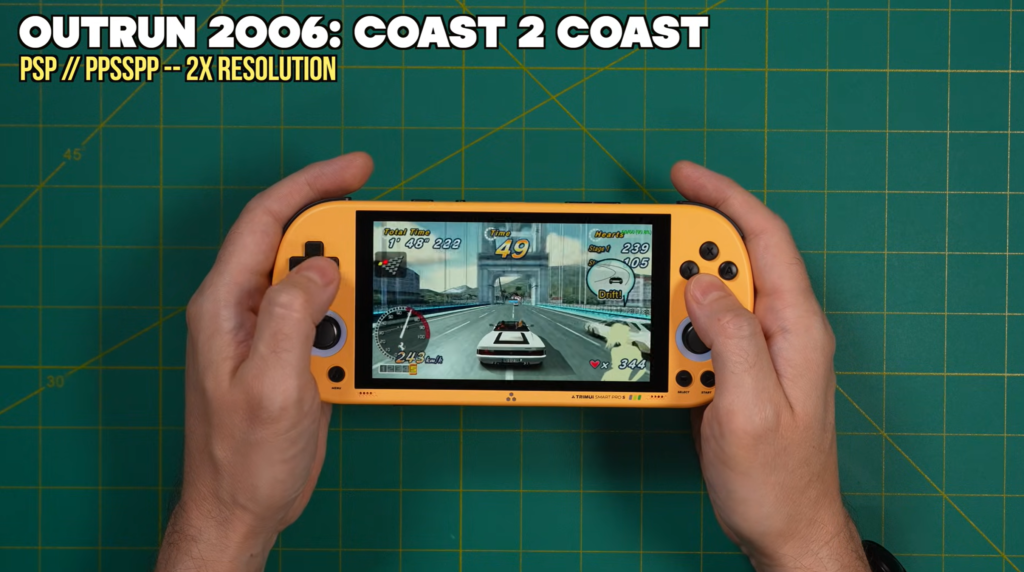
That is where this device separates itself from a lot of other Linux handhelds under $100. According to the review, many PSP games can now run at 2x resolution, which is a big deal because the original Smart Pro’s visual design always made people want to use it as a PSP-style machine. Now it sounds like it can finally back up that expectation much more convincingly. Likewise, Dreamcast performance appears strong enough that most games are playable at native resolution, even if a few tougher titles still show dips or exceptions. That is not “perfect Dreamcast,” but it is very respectable Dreamcast for this price point.
And that is exactly why the performance jump matters. It is not about chasing benchmark numbers. It is about crossing the line from “interesting but compromised” into “actually fun to use for the systems you bought it for.”
PSP Performance: Finally Worth the Shape
One of the biggest reasons people were always drawn to the original TrimUI Smart Pro was simple: it looked like the kind of handheld that should be great for PSP. The body shape, the wide screen, the lightweight horizontal layout — all of it suggested a very natural fit for Sony’s portable library. The problem was that the original hardware could not really deliver on that promise. It looked the part better than it played the part.
That changes in a meaningful way on the TrimUI Smart Pro S.
The upgraded Allwinner A523 appears to give this handheld enough extra room that most PSP titles can now run at 2x resolution, which is a major practical improvement, not just a technical one. PSP is one of those systems where resolution scaling matters a lot because the games were built for a wide-screen format and often still look fantastic when cleaned up on modern handheld displays. On a device with a nearly 5-inch 720p screen, that extra sharpness helps games feel much more alive. Menus are easier on the eyes, textures look cleaner, and the overall presentation simply makes better use of the hardware in your hands.
That does not automatically make the Smart Pro S a perfect PSP machine.
The analog sticks are still one of the weaker points of the device, and PSP is a system where that matters depending on what you like to play. If your library leans more toward action RPGs, side-scrollers, strategy titles, JRPGs, puzzle games, or slower third-person adventures, the Smart Pro S will feel much more comfortable. If you are hoping for a flawless experience in games that depend heavily on more nuanced analog movement, the hardware still has some limitations. The sticks work, and they are better than before, but they are not the sort of sticks that disappear beneath your thumbs and make you forget about them. You remain aware of them.
Still, in the bigger picture, this is one of the most important wins for the Smart Pro S.
A lot of handhelds in this category can claim they “support PSP.” Fewer can honestly say they make PSP feel like a good reason to buy the device. The Smart Pro S gets much closer to that second group. If your dream budget handheld is one where you can comfortably revisit Crisis Core, Persona 3 Portable, OutRun 2006, Patapon, Jeanne d’Arc, Monster Hunter Freedom Unite, or a broad mix of mid-weight PSP favorites without constantly thinking about compromise, this machine starts to make a lot of sense.
And perhaps most importantly, the Smart Pro S no longer feels like it is pretending to be a PSP-style handheld. It feels like it has finally earned the look.
Dreamcast Performance: Better Than You Might Expect
If PSP is the emotional selling point of the TrimUI Smart Pro S, Dreamcast may be the more surprising one.
Dreamcast has always been one of the systems that separates “entry-level retro handhelds” from devices that feel a little more serious. It is not enough to simply boot Dreamcast games. The question is whether the device can play enough of the library at a stable enough speed to make you actually want to use it that way on a regular basis.
Based on the review material, the Smart Pro S gets impressively close.
Using the standalone Flycast emulator on the stock OS, many Dreamcast titles reportedly run very well at native resolution. There may still be occasional frame dips — the kind that knock performance from a locked 60 down to 58 or 59 in heavier moments — but those dips do not seem frequent enough to ruin the experience in the majority of games tested. That puts the Smart Pro S in an interesting position. It may not be a Dreamcast specialist, but it clearly crosses the threshold into “yes, this is genuinely playable for a large portion of the library.”
That matters because Dreamcast benefits tremendously from a screen and control layout like this.
Many Dreamcast games were ambitious, colorful, and fast, and they tend to look better on a wider handheld than older 4:3 systems do. Racing games, arcade-style action, 3D platformers, sports titles, and fighting games all gain something from the Smart Pro S’s size and shape. Even at native resolution, the larger screen helps those games breathe. And because the handheld still retains that comfortable horizontal body, longer sessions feel more natural than they would on smaller vertical devices or mini-screen alternatives.
Of course, there are limits.
The review specifically mentions that not every high-end Dreamcast title hits full speed, with NBA 2K2 used as an example of a game that remains too demanding to call fully playable. That is a useful reality check. The Smart Pro S is not some miracle machine that suddenly erases the boundaries of the sub-$100 handheld class. What it does instead is arguably more important: it shifts enough of the Dreamcast catalog from “borderline” into “actually enjoyable.”
For many buyers, that is all they need.
A budget handheld does not have to master every difficult title in a library to be worth recommending. It just has to handle enough of the right ones well enough that you can confidently reach for it. The Smart Pro S seems to do exactly that.
PS1, N64, GBA, and the Rest: A Very Balanced Retro Library
Once you step below PSP and Dreamcast, the TrimUI Smart Pro S starts to feel even more comfortable in its role.
For Game Boy, Game Boy Color, NES, Genesis, SNES, and similar classic systems, performance is effortless. That is not surprising, but it does reinforce a useful point: this handheld is not just a niche pick for one or two systems. It is a broad, versatile retro gaming device that happens to gain most of its personality from the systems where it punches above its price.
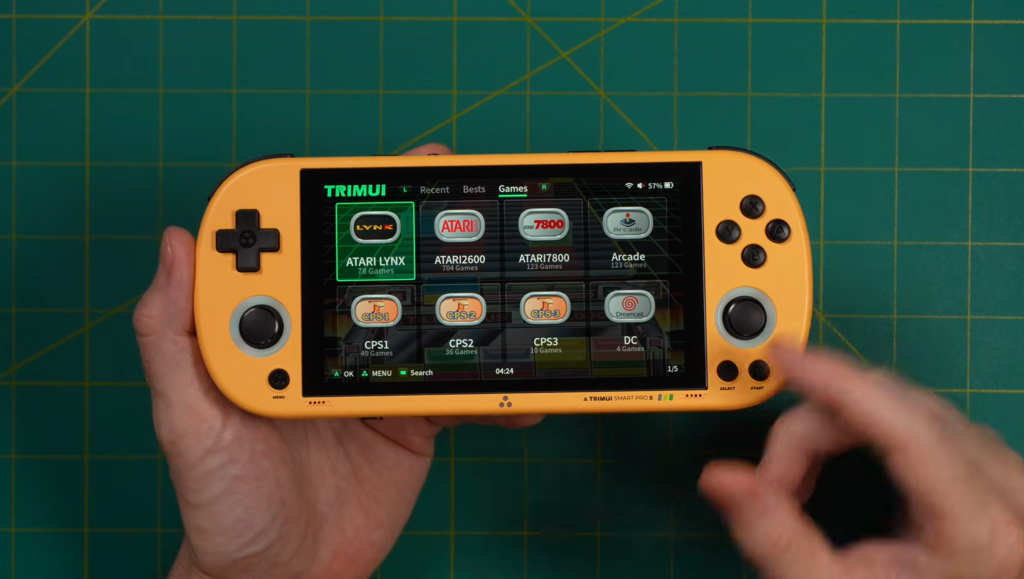
Game Boy Advance seems especially well suited to the device. Even though the Smart Pro S uses a 16:9 display, GBA’s aspect ratio translates more gracefully to wider screens than many older systems do, and the transcript suggests that GBA games look especially attractive here. That makes sense. The panel is sharp enough, the size is comfortable, and the overall design of the handheld supports the kind of quick-pickup, quick-play sessions that GBA excels at. If you enjoy revisiting long RPGs, tactical games, or colorful action-platformers from that era, the Smart Pro S looks like a very nice home for them.
PS1 is another strong fit. The ability to run titles at 2x resolution with minimal friction means PlayStation games should look especially clean on the 720p display. That matters because PS1 is one of the libraries that most benefits from upscale clarity on modern handhelds. Polygon edges look less rough, menus are cleaner, and the games often age much more gracefully when you can give them a little extra rendering room. The Smart Pro S may not be the only handheld that does PS1 well, but it does sound like one of the more satisfying budget options when screen size and presentation are factored in.
Nintendo 64 is where performance and ergonomics pull in slightly different directions.
On the positive side, the processor upgrade seems to make a very real difference. Games that struggled badly on the older model become meaningfully more playable here. That alone is worth acknowledging. However, N64 is a system built around analog-heavy play, and the Smart Pro S still carries those smaller, shorter-travel sticks. So even if the emulation performance is improved, the physical experience of playing N64 does not automatically become ideal. You can do it, and in many cases do it well, but it may not be the first system you think of when reaching for the device.
This is an important pattern across the entire handheld.
The Smart Pro S performs best when the game library lines up with its physical personality. Systems that favor D-pad play, medium-length sessions, and broad visual presentation tend to feel especially at home here. Systems that demand premium analog precision or long-range stick control expose more of its budget origins.
That is not criticism so much as context. Every handheld has a lane. The Smart Pro S simply knows its lane better than most.
Linux, PortMaster, and Why This Handheld Has More Depth Than It First Appears
One of the reasons the TrimUI Smart Pro S stands out from many similarly priced handhelds is that it is not just about emulation performance. It is also about ecosystem.
Because this is a Linux-based handheld, it carries a very different kind of appeal than a cheap Android device. Android handhelds can be flexible, but they also tend to come with a certain amount of friction: frontend setup, app management, background system clutter, inconsistent controller behavior, and the constant temptation to treat the device like a phone instead of a dedicated gaming machine. Linux handhelds, by contrast, often feel more focused. When they are done well, they boot quickly, present your library clearly, and keep you in a game-centric environment from the moment you power on.
The Smart Pro S seems to lean into that strength.
The stock software is already usable enough for many players, and the addition of the home-button quick menu makes the default experience more practical than you might expect. But what adds real long-term value is the potential for alternative operating systems and PortMaster support. That means the device is not limited to traditional retro emulation alone. It opens the door to native ports of selected PC games and fan-supported projects that extend the life of the handheld well beyond the obvious libraries.
For enthusiast buyers, that matters a lot.
A handheld with a decent screen and decent performance is easy to find. A handheld with decent screen, decent performance, a comfortable body, Linux flexibility, and a future that may grow through community software is much harder to find at this price. That is why the Smart Pro S feels more substantial than a typical budget refresh. It is a platform with room to mature.
And that maturity may end up being one of the strongest reasons to choose it over cheaper throwaway alternatives.
What the Trimui Smart Pro S Gets Right
After spending time looking at the full picture, the strengths of the TrimUI Smart Pro S are actually pretty easy to define.
First, it offers a meaningful performance increase where it counts. A lot of refreshed handhelds make bold claims and deliver minor gains that only show up in synthetic comparisons. This one seems different. The jump in PSP and Dreamcast usability is the kind of change players feel immediately, not the kind they need charts to notice.
Second, it remains one of the more comfortable budget horizontal handhelds in its class. The overall shape is still excellent, and the refined buttons, better triggers, and improved D-pad only strengthen that advantage. For retro players who care as much about feel as they do about frame rate, that is a big plus.
Third, the screen size and form factor make it particularly enjoyable for wide-screen systems and mid-era console libraries. GBA, PSP, PS1, Dreamcast, and some ports all make more sense on a display like this than they do on tiny 3.5-inch panels, even if those smaller devices win on pure portability.
Fourth, the Linux environment and the possibility of broader community support give it a stronger identity than many similarly priced handhelds. The Smart Pro S does not just feel like a product; it feels like something hobbyists may continue shaping.
And finally, it seems to understand what kind of handheld it wants to be. That may sound like a vague compliment, but in this market it is not. Many retro handhelds feel pulled in too many directions at once. This one is retro-first, D-pad-first, performance-aware, and clearly aimed at players who want better-than-basic emulation without jumping straight to the $150–$200 tier.
That clarity helps.
Where It Still Falls Short
For all its strengths, the TrimUI Smart Pro S is not a perfect recommendation for everyone.
The most obvious limitation is still the analog sticks. They are improved, yes, but not transformed. They remain small and somewhat limited in movement range, which means analog-heavy systems do not always feel as natural as the processor upgrade might suggest. If your personal library leans heavily toward N64, 3D platformers, shooters, or anything where stick feel matters a lot, this is probably the compromise you will notice most often.
The second issue is the screen brightness and viewing angles. The panel is attractive in the right conditions, but it clearly falls short of premium displays. Indoors, it works well. Outdoors, it becomes harder to love. If you mainly game at home, this is not a major problem. If you regularly play on trains, in parks, or under bright daylight, you may wish for more brightness headroom.
Then there is the fan noise. The active cooling is a welcome addition because it helps the handheld control heat far better than the original model, but it introduces a less refined sound profile when pushed hard. In auto mode, this may not be a huge issue. But it is still one of those details that reminds you the Smart Pro S lives in the “smart budget buy” category rather than the premium tier.
The software setup is also slightly less beginner-friendly than some totally plug-and-play devices, especially if you plan to manage your own microSD card, install your own ROM collection, or experiment with alternative operating systems. None of it sounds especially difficult, but it does assume a little more patience than a device designed for absolute casual buyers.
So no, this is not the best handheld for everyone.
But it may be one of the best handhelds for a very specific type of buyer — and that is often a better thing.
Who Should Buy the TrimUI Smart Pro S?
The TrimUI Smart Pro S makes the most sense for players who want a budget retro handheld with real PSP and Dreamcast upside, but who still care more about value and comfort than maximum raw power.
If you are the kind of player who spends most of your time in PS1, GBA, PSP, Dreamcast, classic arcade libraries, and a healthy mix of 8-bit and 16-bit systems, this handheld sits in a very sweet spot. It offers a larger screen than many entry-level devices, better ergonomics than many mini handhelds, and a more focused gaming experience than many cheap Android options.
It is also a strong candidate for people who specifically want a Linux handheld under $100 that does not feel too cramped. That point is more important than it may sound. A lot of affordable retro handhelds get recommended because they are cheap, not because they are enjoyable to use for long sessions. The Smart Pro S seems to offer both decent value and genuine usability.
It is probably not the best choice for buyers who want the strongest possible analog control, high outdoor brightness, or guaranteed top-tier performance across every Dreamcast and PSP title. Those buyers may be happier spending more on something in the next category up. But if you are shopping with realistic expectations and want a handheld that overdelivers in a few key areas, the Smart Pro S becomes a very easy device to understand — and easier to recommend than its modest specs might initially suggest.
Final Verdict: A Refresh That Actually Feels Worth It
The best thing I can say about the TrimUI Smart Pro S is that it does not feel like a lazy update.
It feels like a company looked at a handheld people already liked, figured out where it was falling short, and made the exact upgrades that would matter most in day-to-day use. The new processor gives it the performance boost it needed. The controls are more refined. The home-button quick menu improves the software experience. Active cooling helps manage heat better. And the overall package finally feels more aligned with its own design.
Is it perfect? No.
The screen could be brighter. The analog sticks could be better. The fan could be quieter. And there will still be a few performance ceilings that remind you this is not a premium machine. But those weaknesses are easier to accept because the Smart Pro S gets so many important things right. It is comfortable. It is capable. It is reasonably priced for what it offers. And most importantly, it feels like a handheld you can actually recommend to real people, not just to spec-sheet hobbyists.
If you want a TrimUI handheld that finally delivers a more convincing PSP emulation experience, strong overall retro gaming performance, a generous display, and a genuinely enjoyable horizontal form factor, the TrimUI Smart Pro S is one of the more interesting options in its class.
It may not be the cheapest choice.
It may not be the most powerful choice.
But it might be the one that makes the most sense.
Quick Pros and Cons
Pros
The Allwinner A523 delivers a real performance improvement, especially for PSP, Dreamcast, and some more demanding systems.
The 4.96-inch 720p display is large, sharp enough for upscale-friendly systems, and a strong match for wide-screen gaming.
The handheld remains very comfortable, with better triggers, improved face buttons, and a more refined D-pad than the previous model.
The stock Linux software is usable, and the new home-button quick menu adds a lot of everyday convenience.
Linux flexibility and growing custom firmware interest give the device stronger long-term value.
Cons
The analog sticks are still small and not ideal for players who prioritize precise analog-heavy gameplay.
The screen is not bright enough to be a great outdoor display, and viewing angles are only average.
The fan helps with heat, but its noise profile is not especially refined at higher speeds.
Battery life in mixed use appears closer to around four hours than the marketed six.
It is still not a fully plug-and-play device if you want to set up your own card and library from scratch.
Preguntas frecuentes
Frequently Asked Questions About the TrimUI Smart Pro S
1. Is the TrimUI Smart Pro S worth buying in 2026?
If you want a budget retro handheld with a large screen, a comfortable horizontal design, and noticeably better PSP and Dreamcast performance than many older Linux handhelds, the TrimUI Smart Pro S is definitely worth considering. It is not a premium device, but it delivers a very good balance of price, performance, and everyday usability.
2. What is the biggest upgrade on the TrimUI Smart Pro S?
The biggest upgrade is the new Allwinner A523 processor. It gives the handheld a clear performance boost, especially in systems like PSP, Dreamcast, N64, and some more demanding emulation tasks. That makes the Smart Pro S feel much more capable than the previous version in real gameplay.
3. Is the TrimUI Smart Pro S good for PSP emulation?
Yes, this is one of the main reasons to look at it. The TrimUI Smart Pro S handles many PSP games much better than the original Smart Pro, and many titles can run at 2x resolution, which looks great on the 4.96-inch 720p screen. If you like PSP games and want a more affordable handheld, this is one of the more interesting options.
4. Can the TrimUI Smart Pro S run Dreamcast games well?
It can run many Dreamcast games well, and that is one of its most impressive strengths for the price. Not every game will be perfect, especially the more demanding ones, but a large portion of the library is very playable and enjoyable on this device.
5. Does the TrimUI Smart Pro S have a good screen?
The screen is one of its strong points in terms of size and resolution. The 4.96-inch IPS display looks sharp and works especially well for PSP, PS1, GBA, and other retro systems. The main downside is that it is not the brightest screen, so it performs better indoors than in direct sunlight.
6. Is the TrimUI Smart Pro S comfortable to hold?
Yes. The rounded body, lightweight horizontal layout, improved triggers, and refined buttons make it a comfortable handheld for long gaming sessions. It is especially good for players who prefer a D-pad-focused retro handheld.
7. Are the analog sticks good?
They are better than before, but they are still not perfect. The sticks work well enough for casual analog gaming, but they remain relatively small and do not have the same range of motion as higher-end handhelds. For heavy N64 or analog-focused gaming, they may still feel like a compromise.
8. Does the TrimUI Smart Pro S support Linux custom firmware?
Yes, that is part of what makes this device appealing. As a Linux handheld, it has growing interest from the community, and that gives it more long-term value for people who enjoy tweaking, customizing, and getting more out of their devices over time.
9. Does the TrimUI Smart Pro S come with games?
That depends on the seller and bundle you choose. Some versions may include a microSD card, while others do not. In general, many users prefer adding their own card and setting up their own library for a cleaner and more reliable experience.
10. Who should buy the TrimUI Smart Pro S?
The TrimUI Smart Pro S is best for players who want a budget Linux retro handheld with a large screen, strong PSP performance, solid Dreamcast support, and a comfortable design for everyday retro gaming. It is a very good fit for users who want more power than entry-level handhelds without jumping straight to a much more expensive device.
Staff picks
Products by Category
-
TRIMUI SMART PRO S Handheld Game Console 4.96”IPS Screen Allwinner A523 Processor TG5050 Game Player (Red)
Rango de precios: de $119.00 a $149.00 -
TRIMUI SMART PRO S Handheld Game Console with 4.96-Inch IPS Display, RGB Joystick and 5000mAh Battery (Yellow)
Rango de precios: de $119.00 a $149.00 -
TRIMUI SMART PRO S Handheld Gaming Console for Retro Games with 4.96-Inch IPS Screen and RGB Illuminated Joystick (Green)
Rango de precios: de $119.00 a $149.00 -
Consola portátil para videojuegos TRIMUI SMART PRO S con pantalla IPS de 4,96 pulgadas, batería de 5000 mAh y joystick con iluminación RGB (blanca)
Rango de precios: de $119.00 a $149.00 -
Trimui Smart Pro S Retro Handheld Game Console 4.96” IPS Screen Linux System Joystick RGB Lighting Video Game Gifts (Black)
Rango de precios: de $109.00 a $219.00 -
Trimui Smart Pro S TG5050 Handheld Game Console – Best for PSP Game, Octa-core 2.0GHz, 4.96″ IPS Display, 5000mAh Battery (Grey)
Rango de precios: de $119.00 a $149.00